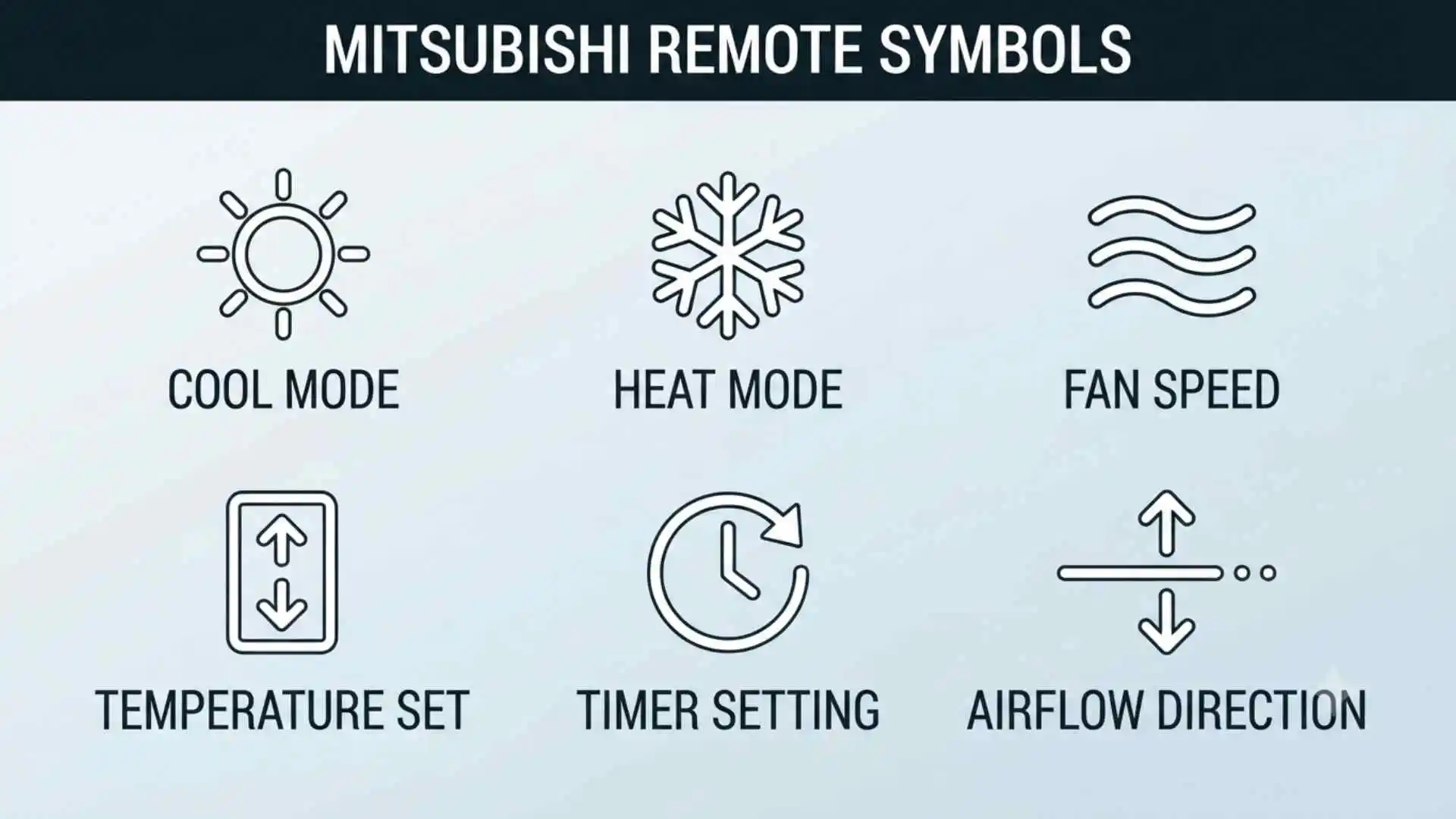
Mitsubishi remote symbols can feel like a secret language when you only want to cool, heat, or dry a room. A tiny sun, snowflake, droplet, or fan can completely change how your air conditioner behaves.
These icons matter because they turn complex climate-control technology into simple visual instructions. Once you understand them, you can improve comfort, reduce energy waste, and avoid choosing the wrong setting.
(Quick Answer) Mitsubishi Remote Symbols
Mitsubishi remote symbols are visual icons that show the operating mode and active features of a Mitsubishi air conditioner or heat pump. Common symbols include a snowflake for cooling, a sun for heating, a water droplet for dry mode, fan blades for fan mode, arrows for airflow direction, and a clock for timer settings.
Quick Facts About Mitsubishi Remote Symbols
| Aspect | Information |
| Origin | Developed as part of modern electronic air-conditioning control systems |
| Historical significance | Replaced mechanical dials and text-heavy controls with simple visual icons |
| Main meaning | Shows the selected mode, fan speed, temperature, airflow, timer, and special functions |
| Spiritual meaning | Mitsubishi remote icons have no official spiritual meaning |
| Cultural importance | They reflect the international use of pictograms to overcome language barriers |
| Modern usage | Found on Mitsubishi Electric and Mitsubishi Heavy Industries air-conditioner remotes |
| Common symbols | Snowflake, sun, droplet, fan, arrows, clock, moon, house, and temperature numbers |
| Important warning | Symbols and functions can differ by remote and indoor-unit model |
What Are Mitsubishi Remote Symbols?
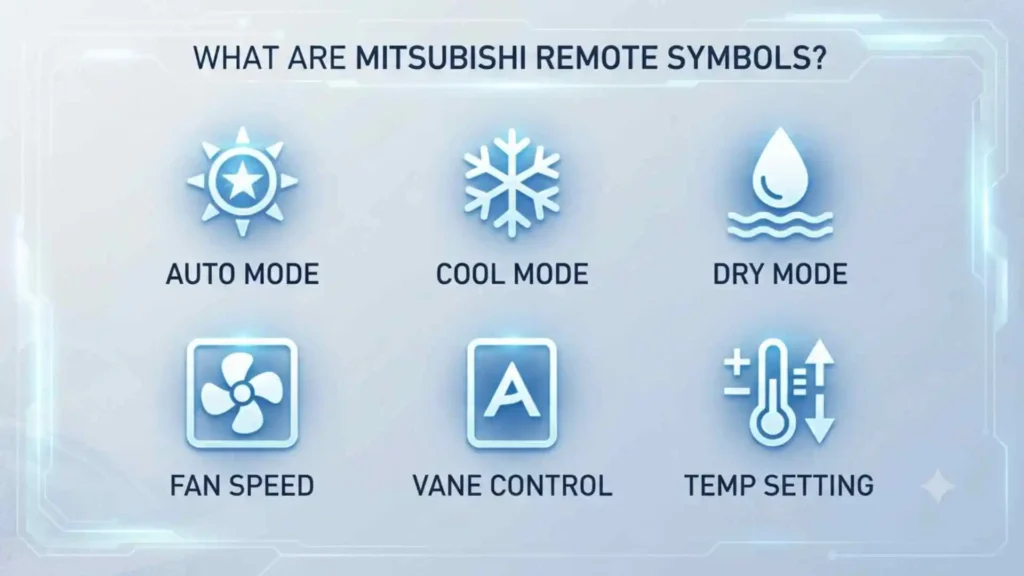
Mitsubishi remote symbols are small pictures, letters, numbers, and indicators displayed on an air-conditioner remote control.
They communicate information without requiring long written instructions. For example, a snowflake instantly suggests cold air, while a sun represents warmth. A clock shows that a scheduled operation has been set.
Most Mitsubishi air-conditioner remotes control several basic functions:
- Operating mode
- Desired temperature
- Fan speed
- Vertical airflow
- Horizontal airflow
- Start and stop timers
- Energy-saving settings
- Sleep or quiet operation
- Powerful cooling or heating
- Air purification features
Mitsubishi Electric officially identifies five common operating modes: Auto, Cool, Dry, Heat, and Fan. However, the exact appearance of each icon can vary according to the remote model and air-conditioning series.
Mitsubishi Electric and Mitsubishi Heavy Industries Are Different
One important detail is often overlooked. Mitsubishi Electric and Mitsubishi Heavy Industries are separate companies with different air-conditioning product lines.
Their remotes may use similar snowflake, sun, fan, and timer symbols, but the available features and button layouts are not always identical.
Before following any guide, check the brand printed on:
- The remote control
- The indoor air-conditioning unit
- The user manual
- The model-number label
Mitsubishi Electric remote model numbers are often printed on a sticker on the back of the handset. Mitsubishi Heavy Industries also provides manuals according to individual controller and air-conditioner model numbers.
How Mitsubishi Remote Symbols Developed
Early air conditioners were controlled through mechanical switches, rotary dials, and basic thermostats. These controls offered limited choices, usually low, medium, high, or off.
As air-conditioning systems became more advanced, manufacturers introduced digital remote controls. New systems could manage compressor output, fan speed, air direction, humidity, timers, and energy-saving programs.
Writing every function in full would have made the remotes crowded and difficult to translate. Pictograms offered a practical solution.
A snowflake could communicate cooling in many languages. A clock could represent time. Moving arrows could show swing or airflow direction.
This design approach reflects a much broader history of visual communication. Road signs, washing labels, computer interfaces, and public-information systems all use simple images to convey instructions quickly.
Modern Mitsubishi remotes continue this tradition. Their icons compress complex mechanical commands into small, recognizable pictures.
Complete Mitsubishi Remote Symbols Guide
The following meanings cover the symbols most commonly found on Mitsubishi Electric and Mitsubishi Heavy Industries air-conditioner remotes. Some features may not appear on your specific model.
Snowflake Symbol: Cool Mode
Visual description
A small six-pointed snowflake or ice-crystal shape.
Meaning
The snowflake activates Cool mode. In this setting, the air conditioner lowers the room temperature toward the number selected on the remote.
How it works
The system absorbs heat from inside the room and transfers it outdoors. The indoor fan then circulates cooler air through the space.
Best time to use it
Use Cool mode when:
- The room temperature is uncomfortably high
- You need steady summer cooling
- Humidity reduction alone is not enough
- You want to select a specific cooling temperature
Recommended setting
A moderate temperature often feels more comfortable and uses less electricity than setting the remote extremely low.
Choosing 16°C does not necessarily make every unit cool the room faster. It mainly tells the system to continue cooling until it approaches that low target.
Sun Symbol: Heat Mode
Visual description
A circle surrounded by short rays, similar to a small sun.
Meaning
The sun represents Heat mode. It tells a reverse-cycle air conditioner or heat pump to warm the room.
How it works
In heating mode, the refrigeration cycle is reversed. The outdoor unit collects heat energy from the outside air and transfers it indoors.
Why warm air may not start immediately
Many heat pumps briefly delay the indoor fan after Heat mode begins. This helps prevent the system from blowing cold air before the indoor coil becomes warm.
The unit may also temporarily pause during cold weather to perform a defrost cycle. This is normal and does not always indicate a fault.
Important limitation
A cooling-only air conditioner will not offer Heat mode. If the sun symbol never appears when pressing the Mode button, your model may not support heating.
Water Droplet Symbol: Dry Mode
Visual description
One or more water drops.
Meaning
The droplet activates Dry mode, also called dehumidification mode.
What Dry mode does
Dry mode removes moisture from indoor air while providing gentle cooling. It is useful when the room feels sticky or humid but is not extremely hot.
The system usually operates the compressor and fan differently from standard Cool mode. The goal is moisture removal rather than maximum temperature reduction.
Best time to use it
Dry mode works well during:
- Humid evenings
- Rainy weather
- Monsoon conditions
- Mild but uncomfortable temperatures
- Rooms with a damp feeling
Dry mode versus Cool mode
| Feature | Dry Mode | Cool Mode |
| Main purpose | Reduce humidity | Reduce temperature |
| Cooling strength | Gentle or intermittent | Stronger and more direct |
| Fan control | May be limited or automatic | Usually adjustable |
| Best condition | Mild, humid weather | Hot weather |
| Comfort effect | Makes air feel less sticky | Makes air feel colder |
Dry mode is not a substitute for a dedicated dehumidifier in every situation. Its performance depends on the room temperature, humidity, unit design, and operating conditions.
Fan Symbol: Fan Mode
Visual description
A small propeller, circular fan, or blade-shaped icon.
Meaning
The fan icon usually represents Fan mode or fan-speed control.
In Fan mode, the indoor fan circulates room air without actively cooling or heating it. The outdoor compressor may remain off.
When Fan mode is useful
Use it when:
- The room temperature already feels comfortable
- You only want air movement
- You want to distribute air more evenly
- You want less energy use than active cooling
- You are airing out a room
Important distinction
A fan icon beside bars may indicate the selected fan speed, not Fan operating mode.
Look at where the symbol appears on the screen. The main mode icon usually sits near the temperature or mode area, while speed indicators often appear as bars or repeated fan marks.
AUTO Symbol: Automatic Mode
Visual description
The word AUTO, circular arrows, or an automatic-operation icon.
Meaning
Auto mode allows the system to select or adjust operating behavior according to room conditions and the set temperature.
Depending on the model, the system may:
- Choose cooling or heating
- Adjust fan speed
- Maintain the selected temperature
- Change output as conditions improve
Mitsubishi Electric lists Auto as one of its standard operating modes on compatible systems. However, automatic heating and cooling behavior depends on the air conditioner and system configuration.
When Auto mode works well
Auto mode is useful when:
- Outdoor temperatures change throughout the day
- You do not want to switch manually between heating and cooling
- You prefer steady comfort
- Several people use the same room
Possible disadvantage
Auto mode may choose a setting that feels different from what you expected. For full control, select Cool, Heat, Dry, or Fan manually.
Fan-Speed Bars
Visual description
A row of bars, curved lines, arrows, or fan icons that increase in number.
Meaning
These indicators show how quickly the indoor fan is running.
More bars usually mean stronger airflow. Fewer bars usually mean quieter and gentler airflow.
Mitsubishi Electric describes fan speed as being represented by signal-like bars or a small fan, with higher bars indicating faster operation.
Common fan-speed choices
- Auto
- Quiet
- Low
- Medium
- High
- Super high on selected models
Which fan speed should you choose?
| Situation | Suggested fan setting |
| Rapid temperature change | High |
| Normal daily comfort | Auto or medium |
| Sleeping | Quiet or low |
| Large room | Medium or high |
| Gentle air movement | Low |
| Energy-conscious operation | Auto |
A higher fan speed can move conditioned air through a room more quickly. However, it may also create more noise and a stronger draft.
Vertical Vane Symbol

Visual description
A horizontal flap with arrows pointing upward and downward.
Meaning
This symbol controls the vertical direction of the air leaving the indoor unit.
Pressing the Vane button may move the flap through several fixed positions. It may also activate automatic vertical swinging.
Mitsubishi Electric remotes can offer multiple vane positions and a swing option, although the exact number depends on the model.
Best vertical direction for cooling
Cool air naturally tends to sink. Directing airflow outward or slightly upward can help spread cooled air across the room.
Best vertical direction for heating
Warm air naturally rises. Directing airflow downward can help deliver heat toward the occupied area before it collects near the ceiling.
Horizontal Airflow Symbol
Visual description
A vertical fin, side-to-side arrows, or a room-shaped icon with arrows moving left and right.
Meaning
This symbol controls horizontal airflow direction.
Compatible units may allow you to:
- Aim air left
- Aim air right
- Center the airflow
- Sweep air from side to side
- Divide airflow between areas
Not every indoor unit includes motorized horizontal vanes. Some models require the side fins to be adjusted manually.
Swing Symbol
Visual description
Curved arrows, moving arrows, or a vane surrounded by directional marks.
Meaning
Swing mode continuously moves the air-direction vane instead of holding it in one position.
Why use Swing mode?
Swing can:
- Distribute air across a wider area
- Reduce concentrated drafts
- Improve temperature balance
- Reach several seating positions
- Help condition open-plan spaces
If moving air crosses directly over your face or body, choose a fixed vane position instead.
Clock Symbol: Timer Function
Visual description
A traditional clock face, clock hands, or the word TIMER.
Meaning
The clock symbol shows that a timer setting is available or active.
Depending on the remote, you may find:
- On timer
- Off timer
- Start timer
- Stop timer
- Daily timer
- Weekly timer
- Sleep timer
On timer
The On timer starts the unit at a selected time.
For example, you might schedule heating to begin before waking up.
Off timer
The Off timer shuts the unit down at a selected time.
For example, you might set the air conditioner to switch off after you fall asleep.
Weekly timer
Some advanced Mitsubishi controllers allow different schedules for different days. Weekly indicators may show weekday names or numbered programs.
ON Timer and OFF Timer Symbols
Visual description
A clock paired with ON, START, OFF, or STOP.
Meaning
These symbols identify whether the remote is scheduling the unit to begin or end operation.
A common mistake is to set the clock correctly but fail to activate the timer. Check whether the timer indicator remains visible after completing the setup.
Moon Symbol: Sleep or Night Mode
Visual description
A crescent moon, sometimes combined with stars.
Meaning
The moon usually represents Sleep mode, Night mode, or a quiet nighttime program.
The exact behavior varies. A nighttime function may:
- Reduce fan noise
- Adjust the set temperature gradually
- Dim display lights
- Limit outdoor-unit sound
- Stop the unit after a selected time
Mitsubishi Electric notes that sleep functions may adjust temperature over time and later return to the original setting, although operation varies by product.
Quiet Symbol
Visual description
A speaker with reduced sound lines, a face with a finger near the lips, the word QUIET, or a low fan mark.
Meaning
Quiet mode reduces operating sound, usually by lowering indoor fan speed.
Some systems also provide an outdoor-unit quiet function. This may reduce outdoor noise but can also limit maximum heating or cooling output.
Quiet mode works well for:
- Bedrooms
- Study rooms
- Meetings
- Television viewing
- Nighttime use
Powerful, Fast, Hi Power, or Turbo Symbol
Visual description
A lightning bolt, strong airflow marks, the word POWERFUL, FAST, or HI POWER.
Meaning
This setting temporarily increases system output to cool or heat the room more quickly.
Mitsubishi Electric describes Fast mode as a rapid-cooling function that can operate for a limited period on supported models.
Best use
Powerful mode is helpful when:
- You have just entered a very hot room
- The space has been unoccupied
- Several people suddenly enter
- Doors have been open
- You need faster heating on a cold morning
After the room becomes comfortable, normal or Auto operation is usually more efficient.
ECONO COOL Symbol
Visual description
The words ECONO COOL, an energy-saving icon, or a leaf-like mark.
Meaning
Econo Cool is an energy-saving cooling function found on selected Mitsubishi Electric systems.
It may adjust airflow direction and temperature control so that occupants continue to feel comfortable while the unit reduces cooling demand.
The feature is associated with specific Mitsubishi Electric product series, so it should not be assumed to exist on every remote.
Leaf or ECO Symbol
Visual description
A green-style leaf icon, the word ECO, or an efficiency-related mark.
Meaning
The leaf usually indicates an energy-saving program.
Depending on the model, Eco operation may:
- Limit peak power
- Adjust the target temperature
- Reduce fan or compressor demand
- Use occupancy information
- Prevent unnecessary heating or cooling
Because manufacturers use leaf symbols in different ways, consult the manual before assuming the exact function.
i-save Symbol
Visual description
The words i-save, a memory symbol, or a dedicated i-save button.
Meaning
The i-save function stores or recalls a preferred combination of settings.
A saved setup may include:
- Operating mode
- Temperature
- Fan speed
- Vane direction
This can be useful for a frequently used nighttime, energy-saving, or unoccupied-room setting.
House or Room Symbol
Visual description
A small house, room outline, or human figure inside a space.
Meaning
House-shaped icons can have different meanings depending on the controller. They may relate to:
- Room temperature
- Home-leave protection
- Occupancy sensing
- Indoor air monitoring
- Away mode
- Zone selection
Do not rely on the picture alone. This is one of the symbols most likely to vary between remote models.
Person or Sensor Symbol
Visual description
A standing person, seated figure, eye, or sensor waves.
Meaning
This symbol may indicate an occupancy or infrared sensing feature.
On compatible Mitsubishi Electric systems, sensing technology can help detect:
- Human presence
- Position in the room
- Floor temperature
- Warm and cool areas
- Occupied and unoccupied zones
The air conditioner may then adjust airflow or energy use.
Area or Wide Vane Symbol
Visual description
A room grid, several blocks, arrows across multiple zones, or the words AREA and WIDE VANE.
Meaning
This feature controls where air is directed across the room.
You may be able to select:
- Left area
- Center area
- Right area
- Wide airflow
- Automatic area detection
It is especially useful in wide rooms or spaces where occupants sit in different locations.
Air Purification Symbol
Visual description
Sparkles, particles, a filter, a tree, or a circular purification icon.
Meaning
The symbol may indicate an air-cleaning, deodorizing, plasma, ionizing, or filtration function.
Not every Mitsubishi air conditioner contains an active purification system. Some units only use washable filters, while others offer additional air-treatment technology.
Air purification does not replace ventilation, source control, or medical-grade air cleaning where those are required.
Filter Symbol
Visual description
A mesh rectangle, grid, filter outline, or the word FILTER.
Meaning
A filter symbol often means one of two things:
- A filter-related function is active.
- The filter requires cleaning.
If the icon appears after many hours of operation, inspect the indoor-unit filters.
Basic filter-care steps
- Switch the unit off
- Open the indoor-unit panel carefully
- Remove the filters according to the manual
- Vacuum or wash them as instructed
- Allow washable filters to dry fully
- Reinstall them correctly
- Reset the filter indicator if required
Never operate the unit with wet filters unless the manual specifically permits it.
Self-Clean Symbol
Visual description
Sparkles, cleaning arrows, a brush-like shape, or the words SELF CLEAN.
Meaning
Self-clean operation helps dry or clean internal parts after normal use.
On some Mitsubishi Heavy Industries systems, self-cleaning may continue after regular operation has ended, and indicator lights can remain active until the cycle is complete.
Self-cleaning does not remove every type of dirt. Periodic filter care and professional servicing may still be necessary.
Battery Symbol
Visual description
A battery outline with one or more filled sections.
Meaning
The remote-control batteries are running low.
Weak batteries can cause:
- Faded screen numbers
- Delayed responses
- Lost clock settings
- Failed signal transmission
- Intermittent operation
Replace both batteries with the correct type. Avoid mixing old and new batteries.
Signal-Transmission Symbol
Visual description
Radiating lines, wireless waves, or an antenna-like mark.
Meaning
This symbol briefly appears when the remote sends a command to the indoor unit.
Point the remote toward the indoor-unit receiver and avoid blocking the signal path.
A beep from the indoor unit usually confirms that the command has been received.
Celsius and Fahrenheit Symbols
Visual description
°C or °F beside the temperature number.
Meaning
These letters show the temperature scale.
- °C means degrees Celsius
- °F means degrees Fahrenheit
Some remotes allow the display scale to be changed through a button combination. Others are fixed according to their sales region.
Temperature Number
The large number on the screen usually shows the set temperature, not always the current room temperature.
For example, 24°C means the air conditioner is being asked to maintain a temperature near 24°C. It does not necessarily mean the room is currently at that temperature.
Room conditions can vary because of:
- Sensor position
- Sunlight
- Open doors
- Ceiling height
- Air circulation
- Number of occupants
- Heat-producing appliances
Lock or Key Symbol
Visual description
A padlock, key, or restricted-control icon.
Meaning
The controller is locked, partially restricted, or protected from accidental changes.
This is common on:
- Commercial controllers
- Hotel systems
- Office systems
- Child-lock functions
- Centrally managed air conditioning
A central building controller may prevent users from changing the mode, temperature, or fan speed.
Exclamation Mark or Warning Symbol
Visual description
An exclamation mark, warning triangle, wrench, or service indicator.
Meaning
The system may require attention.
Possible causes include:
- Communication error
- Sensor problem
- Maintenance reminder
- Operating restriction
- Fault code
- Installation issue
Record any letters or numbers shown beside the warning symbol. Then check the correct model manual or contact a qualified technician.
Do not repeatedly reset a unit that continues to show an error.
Defrost Symbol
Visual description
Ice, melting drops, heat arrows, or a defrost-related indicator.
Meaning
During heating, the outdoor coil can collect frost. The system may temporarily enter a defrost cycle to remove it.
During defrost:
- Indoor airflow may stop
- Warm air may pause
- Steam may appear outdoors
- Water may drain from the outdoor unit
- The unit may make changing sounds
These signs can be normal in cold, damp weather.
Mitsubishi Remote Symbols Comparison Table
| Symbol | Usual meaning | Best used for |
| Snowflake | Cool mode | Hot weather |
| Sun | Heat mode | Cold weather |
| Water drop | Dry mode | Humid conditions |
| Fan blades | Fan mode or speed | Air circulation |
| AUTO | Automatic operation | Hands-free comfort |
| Up and down arrows | Vertical vane | Directing air higher or lower |
| Left and right arrows | Horizontal airflow | Directing air across the room |
| Moving arrows | Swing | Wider air distribution |
| Clock | Timer | Scheduled starting or stopping |
| Moon | Sleep or night operation | Bedrooms |
| Leaf or ECO | Energy saving | Reduced power use |
| Lightning or POWERFUL | Maximum output | Rapid cooling or heating |
| Filter grid | Filter care | Maintenance reminder |
| Battery | Low remote battery | Battery replacement |
| Lock | Controls restricted | Child lock or central control |
| Warning mark | Error or service notice | Troubleshooting |
Deep Symbolic Meaning of Mitsubishi Remote Icons
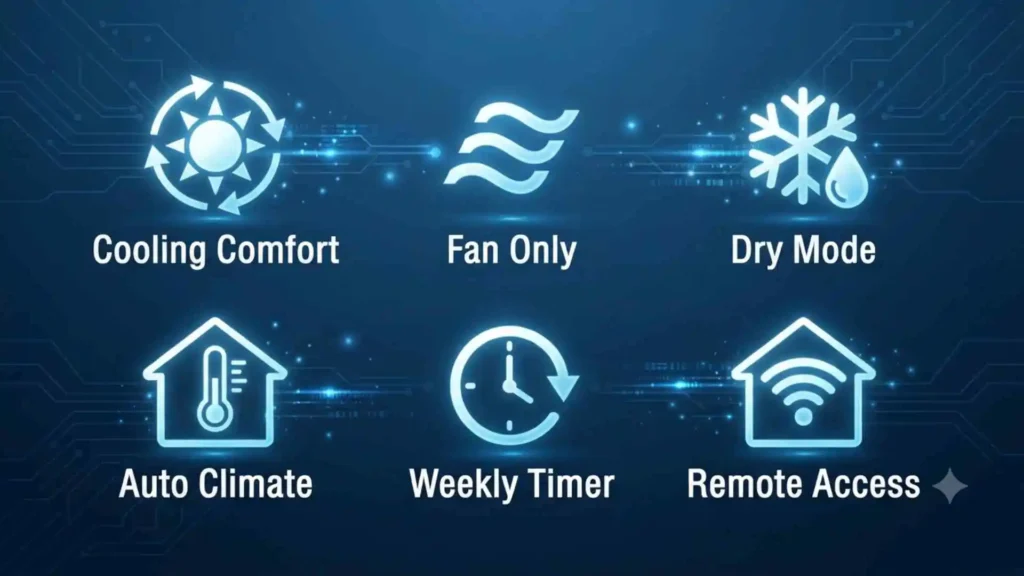
Mitsubishi remote symbols are practical interface signs, not religious or mystical symbols. Still, their design reveals something interesting about human communication.
Visual symbolism
Designers select familiar natural images to represent invisible mechanical processes.
Cold air cannot be seen, so a snowflake stands in for cooling. Warmth becomes a sun. Moisture control becomes a droplet. Time becomes a clock.
The images turn abstract technology into ideas the brain can recognize instantly.
Psychological level
Human beings process simple images faster than long written instructions. A clear icon reduces mental effort and helps users make decisions quickly.
This is especially valuable when someone is:
- Tired
- Uncomfortable
- Using the remote in darkness
- Unfamiliar with the language
- Operating the unit for the first time
However, icons can also cause confusion when the same picture has several meanings. A fan symbol may represent Fan mode, fan speed, or airflow. Good interface design depends on placement, labels, and context.
Cultural level
Most climate-control icons use internationally familiar natural objects. Snow, sunlight, water, wind, and time can be understood across many societies.
Their value is practical rather than ceremonial. They allow one remote design to serve people from different language backgrounds.
Mitsubishi Remote Symbols Across Different Cultures
The symbols on Mitsubishi remotes are modern technical icons. They did not originate as sacred signs in ancient civilizations. However, the natural images behind them have long cultural histories.
Ancient Egypt
The sun had deep importance in ancient Egyptian belief and was closely connected with divine power, order, life, and renewal.
On a modern remote, the sun has a much narrower meaning. It simply indicates heating.
Ancient Greece
Greek culture personified natural forces through deities and myths. Sunlight, wind, seasons, and water were understood through divine stories.
Modern interface icons remove those mythological meanings and use the same natural elements as practical commands.
Roman culture
Roman engineering placed strong value on heating, water management, and public comfort. Roman bath complexes used sophisticated heating systems such as the hypocaust.
A modern heat symbol serves a similar human need for controlled indoor warmth, although the technology is entirely different.
Eastern traditions
In many East Asian traditions, seasonal balance, airflow, heat, cold, and environmental harmony have played important roles in daily life and philosophy.
Modern air-conditioner controls approach balance through sensors, compressors, fans, and programmed settings rather than spiritual practice.
Indigenous traditions
Many Indigenous cultures understand sun, wind, water, and seasonal change through local ecological knowledge and oral traditions.
Remote-control icons borrow the universal visibility of these natural forces, but they should not be confused with Indigenous sacred symbols.
Modern international culture
Today, pictograms function as a shared design language. Similar snowflakes, fans, clocks, and power symbols appear on appliances throughout the world.
This standardization makes technology easier to use, even when the user cannot read the printed labels.
Similar Symbols and Their Meanings
| Mitsubishi remote symbol | Similar symbol elsewhere | Shared idea | Main difference |
| Snowflake | Refrigerator control | Cold temperature | AC cools a room, refrigerator cools a cabinet |
| Sun | Heater control | Warmth | May represent heating rather than brightness |
| Droplet | Dehumidifier | Moisture | Usually indicates humidity removal |
| Fan | Computer or car ventilation | Air movement | May also control speed |
| Clock | Oven or phone timer | Scheduled time | Controls AC starting or stopping |
| Moon | Phone night mode | Nighttime comfort | May alter temperature and fan operation |
| Leaf | Vehicle Eco mode | Efficiency | Exact energy-saving method varies |
| Lock | Phone or appliance lock | Restricted access | May indicate central control rather than security |
Common Misconceptions About Mitsubishi Remote Symbols
“The sun means summer mode”
The sun generally means heating, not summer operation.
“The snowflake makes the air colder instantly”
The snowflake selects cooling, but the time required depends on room size, insulation, outdoor temperature, unit capacity, and airflow.
“Dry mode is stronger than cooling”
Dry mode usually focuses on humidity removal. Standard Cool mode normally provides stronger temperature reduction.
“The fan symbol always means Fan mode”
It may show the operating mode, fan speed, or a fan-related setting.
“Auto mode is always the cheapest”
Auto mode can be convenient, but energy use depends on the set temperature, building conditions, weather, and system behavior.
“A lower temperature cools the room faster”
Many systems do not cool faster simply because the target is set extremely low. They may only run longer.
“Every Mitsubishi remote has the same functions”
Symbols vary by brand division, country, system type, indoor-unit model, and remote-controller model.
Mitsubishi Remote Symbols in Design and Popular Culture
Air-conditioner symbols rarely carry major roles in mythology, literature, or cinema. Their importance lies in industrial and interface design.
Product design
Remote symbols show how designers simplify complex engineering. Behind one snowflake icon are:
- Temperature sensors
- Refrigerant circulation
- Compressor control
- Fan management
- Electronic communication
- Safety systems
Film and television
Climate-control remotes often appear in scenes about comfort, domestic arguments, office rules, or extreme weather.
The thermostat becomes a symbol of control. One character feels cold while another feels hot, turning a technical setting into a human conflict.
Digital culture
Air-conditioning icons also appear in:
- Smart-home applications
- Hotel control panels
- Online manuals
- Energy dashboards
- Building-management systems
- Social-media troubleshooting posts
Mitsubishi systems now include both traditional handheld remotes and more advanced wired, centralized, and app-based controls. Mitsubishi Heavy Industries, for example, publishes manuals for wireless controls, wired controllers, central systems, and smart interfaces.
Spiritual and Dream Meaning of Mitsubishi Remote Symbols
Mitsubishi does not assign spiritual or dream meanings to its remote-control icons. They are functional controls.
Still, dreams involving air conditioners or remote controls can be interpreted metaphorically on a personal level.
Dreaming of a remote that does not work
This may reflect feelings of:
- Lacking control
- Being unable to change an uncomfortable situation
- Frustration with technology
- Difficulty communicating needs
Dreaming of extreme heat
Heat may represent pressure, anger, stress, urgency, or emotional intensity.
Dreaming of extreme cold
Cold may suggest emotional distance, isolation, fear, or a need for protection.
Dreaming of changing the temperature
This may symbolize an attempt to regulate emotions or restore balance.
These interpretations are subjective. Dreams do not have one scientifically proven symbolic meaning.
Positive and Negative Meanings of Mitsubishi Remote Symbols
| Positive meaning | Negative meaning |
| Comfort and control | Confusion when symbols are unclear |
| Energy management | Waste caused by incorrect settings |
| Temperature balance | Overcooling or overheating |
| Convenience | Dependence on automation |
| Accessible visual communication | Different icons across models |
| Better sleep | Discomfort from poor airflow |
| Humidity control | Dryness from excessive operation |
| Scheduled use | Incorrect timer programming |
The same symbol can lead to comfort or frustration depending on how accurately it is understood.
Why Humans Are Attracted to Simple Symbols
People naturally search for patterns and quick visual clues.
When a room feels too hot, the user does not want to read a technical explanation of the refrigeration cycle. The snowflake offers an immediate path to action.
Several psychological principles explain why icons work:
Recognition is easier than recall
It is easier to recognize a snowflake as “cool” than to remember a complex button sequence.
Pictures cross language boundaries
An image can communicate even when the printed language is unfamiliar.
Symbols reduce screen clutter
Small remote displays cannot hold long instructions.
Familiar patterns build confidence
Repeated exposure teaches the user that a sun means heat and a clock means scheduling.
Control creates emotional comfort
Temperature affects sleep, concentration, mood, and physical comfort. Understanding the remote gives users a stronger sense of control over their environment.
Modern Uses of Mitsubishi Remote Symbols
Handheld remote controls
The most familiar use remains the infrared wireless handset supplied with many wall-mounted systems.
Wired controllers
Commercial and ducted systems may use wall-mounted controllers with menus, icons, and larger displays.
Smart-home applications
Wi-Fi-connected systems can reproduce familiar remote symbols inside mobile apps.
Central building control
Hotels, offices, shops, and large buildings may manage many indoor units through centralized controllers.
Energy management
Eco, scheduling, occupancy, and zone symbols help users reduce unnecessary operation.
Accessibility
Clear icons can help users who speak different languages, although small screens and ambiguous images may still create accessibility challenges.
How to Identify the Correct Meaning for Your Remote
Follow these steps when an icon remains unclear.
1. Check the full brand name
Determine whether the unit is Mitsubishi Electric or Mitsubishi Heavy Industries.
2. Find the remote model number
Look on the back of the remote, inside the battery compartment, or below the display.
3. Find the indoor-unit model number
This is often printed on a label beneath the front cover or along the side of the indoor unit.
4. Use the matching user manual
Avoid relying only on a manual for a similar-looking remote.
5. Compare the screen position
An icon’s location can reveal whether it relates to mode, fan speed, timer, airflow, or maintenance.
6. Test one setting at a time
Change one function and watch what appears or disappears on the display.
7. Stop if a warning code appears
Record the code and seek model-specific support.
Mitsubishi Electric and Mitsubishi Heavy Industries both advise users to consult the manual for the exact model because functions and representations vary.
Troubleshooting Mitsubishi Remote Symbols
The remote screen is blank
Possible causes include:
- Dead batteries
- Incorrect battery direction
- Dirty battery terminals
- Damaged display
- Internal remote failure
Replace both batteries and confirm their polarity.
The remote screen works, but the unit does not respond
Try the following:
- Point the remote directly at the indoor unit
- Move closer
- Remove objects blocking the receiver
- Replace weak batteries
- Check whether the unit has electrical power
- Look for a lock or timer symbol
- Confirm that the remote matches the unit
The sun symbol does not appear
The system may be cooling-only, centrally restricted, or connected to a multi-unit system that does not currently allow heating.
The fan does not run during heating
The unit may be preheating or defrosting. Allow several minutes before assuming a fault.
The timer icon will not disappear
Cancel both On and Off timer programs. Some remotes store more than one schedule.
The lock symbol is visible
A child lock, controller restriction, or central building-management setting may be active.
The filter icon stays on after cleaning
The maintenance indicator may need to be manually reset.
Several icons appear at once
This is often normal. A remote can display the operating mode, temperature, fan speed, vane direction, and timer simultaneously.
Interesting Facts About Mitsubishi Remote Symbols
- The snowflake, sun, droplet, and fan symbols appear on many climate-control products, not only Mitsubishi systems.
- A Mitsubishi remote can display a set temperature that differs from the actual temperature measured elsewhere in the room.
- Some air conditioners delay airflow in Heat mode to avoid blowing cold air.
- Defrost operation can temporarily stop indoor heating even though the sun symbol remains selected.
- Remote-control model numbers are often located on the back of the handset.
- Mitsubishi Electric and Mitsubishi Heavy Industries remotes should not automatically be treated as interchangeable.
- Some icons represent features that only work when the indoor unit contains compatible hardware.
- A filter symbol may be based on operating hours rather than a sensor that physically detects dirt.
- Quiet mode can reduce sound while also reducing maximum airflow.
- Modern wired controllers may display far more detailed icons than simple handheld remotes.
Frequently Asked Questions
What do the symbols on a Mitsubishi AC remote mean?
They show operating modes and active functions. A snowflake means cooling, a sun means heating, a droplet means dry mode, a fan means airflow or fan operation, and a clock means a timer is active.
What is the cooling symbol on a Mitsubishi remote?
The cooling symbol is usually a snowflake. Select it by pressing the Mode button until the snowflake appears.
What is the heating symbol on a Mitsubishi air-conditioner remote?
The heating symbol is usually a sun. If it does not appear, your unit may be cooling-only or heating may be restricted.
What does the water-drop symbol mean?
The water drop represents Dry mode. This setting removes moisture from humid air while providing light cooling.
What does the fan icon mean on a Mitsubishi remote?
It may represent Fan mode or the current fan-speed setting. Its exact meaning depends on where it appears on the display.
Why is my Mitsubishi air conditioner showing a clock symbol?
A timer has probably been set. Check the On timer, Off timer, sleep timer, or weekly schedule and cancel the active program if it is not needed.
Conclusion
Mitsubishi remote symbols transform complicated air-conditioning technology into a clear visual language. The snowflake cools, the sun heats, the droplet reduces humidity, and the fan controls air movement. Although the basic icons are widely shared, special functions differ between Mitsubishi Electric, Mitsubishi Heavy Industries, and individual models. Understanding your exact remote helps you create comfort with confidence instead of pressing buttons and hoping for the best.

Hi, I’m Asher Monroe, a writer who believes that meaningful words have the power to inspire change and bring people closer to their dreams. I have always been fascinated by the beauty of quotes and the way a simple message can provide motivation, hope, and comfort.
I enjoy creating content around inspirational quotes, life lessons, success stories, and positive thoughts that help readers find encouragement in their everyday lives. My goal is to share words that connect with people and remind them of their inner strength.
Through my writing, I explore the ideas of personal growth, confidence, and the importance of staying inspired through every chapter of life.
I am the author of Words That Move the Soul and The Path of Endless Inspiration, two books focused on the power of wisdom, positivity, and meaningful thoughts.
 Sienna Brooks