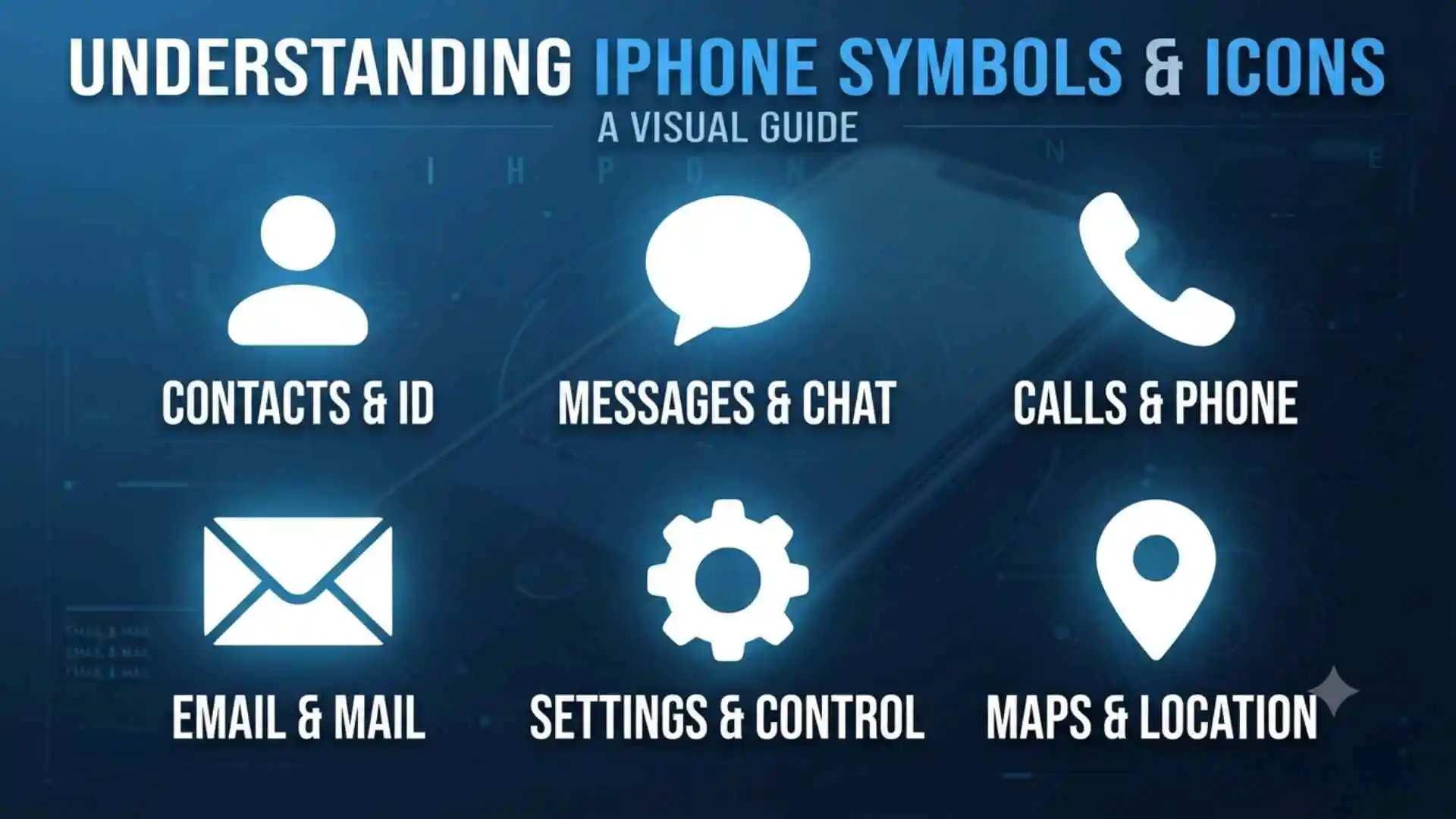
Symbols on iPhone can feel like a secret language when an unfamiliar arrow, colored dot, moon, satellite, or chain suddenly appears on your screen.
Each small image communicates something important about your connection, privacy, battery, location, or active features.
These icons continue a long human tradition of using simple visual marks to share complex ideas quickly.
Once you understand them, your iPhone becomes easier to control, safer to use, and far less mysterious.
(Quick Answer) Symbols on iPhone
Symbols on iPhone are visual indicators that show the status of your battery, network, privacy, location, calls, Focus modes, wireless connections, and other features. Most appear in the status bar, Dynamic Island, Control Center, Lock Screen, or individual apps. Their color and location often reveal whether a feature is active, unavailable, or needs attention.
Quick Facts About Symbols on iPhone
| Aspect | Information |
| Origin | Apple introduced the first iPhone interface in 2007, building on older computer and mobile icon systems |
| Historical significance | iPhone icons helped make touchscreen controls understandable without physical buttons |
| Main meaning | They communicate device status, active services, warnings, privacy activity, and available controls |
| Symbolic meaning | Icons represent connection, protection, energy, movement, communication, and personal focus |
| Cultural importance | Many iPhone symbols have become part of a shared global digital language |
| Modern usage | They appear in the status bar, Dynamic Island, Control Center, apps, notifications, and the Lock Screen |
What Are Symbols on iPhone?
Symbols on iPhone are small visual signs used by iOS to communicate information without filling the screen with written instructions.
You can find them in several places:
- At the top of the screen in the status bar
- Inside the Dynamic Island on supported models
- In Control Center
- On the Lock Screen
- Beside messages, calls, and notifications
- Within apps such as Maps, Mail, Camera, and Photos
- On buttons used for sharing, editing, saving, and navigation
A battery shape tells you how much power remains. A fan-shaped Wi-Fi icon shows that your device is connected to a wireless network. An arrow can reveal that an app is accessing your location.
These images work because the human brain recognizes shapes faster than it reads full sentences. Instead of displaying “Your microphone is currently being used,” the iPhone can show a small orange dot.
The Historical Background of iPhone Icons
The first iPhone was introduced by Apple in 2007. Its touchscreen design removed many physical buttons that people had used on earlier mobile phones.
Apple therefore needed a clear visual system that allowed users to understand digital actions instantly. Familiar objects became interface symbols:
- A trash can meant delete
- A camera represented photography
- An envelope meant email
- A telephone handset represented calls
- A magnifying glass meant search
- A gear represented settings
This design method is known as a visual metaphor. It connects a digital action with an object people already understand.
Over time, Apple refined these symbols as iPhone hardware and iOS gained new features. Icons were added for Personal Hotspot, Focus, VPN connections, screen mirroring, satellite services, privacy controls, wireless headphones, and more.
Why iPhone Symbols Matter
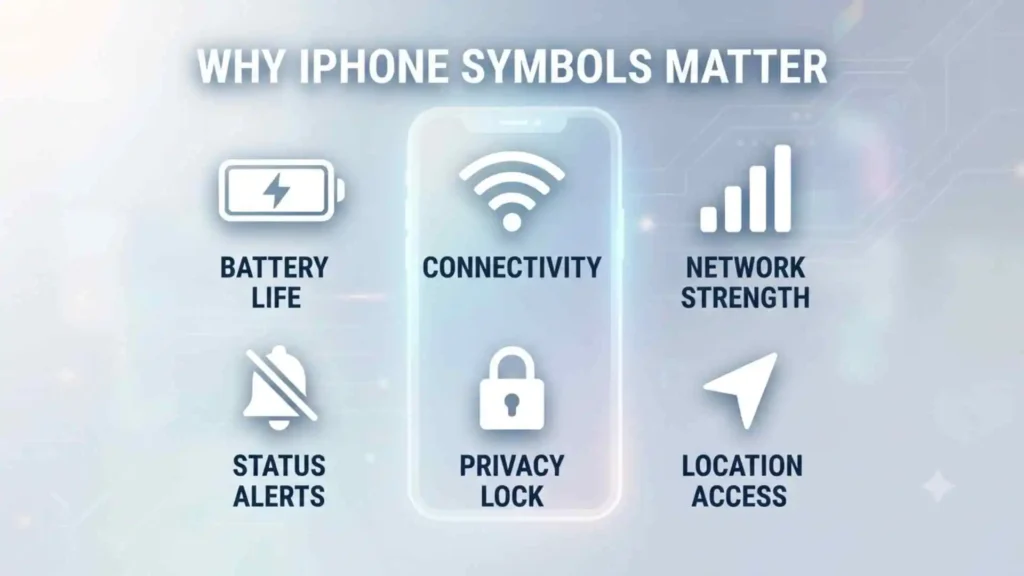
Most icons are not decorative. They tell you what your phone is doing, sometimes before you notice a problem.
A symbol may reveal that:
- Your battery is almost empty
- Low Power Mode is active
- Your microphone is being used
- An app has accessed your location
- Your iPhone has lost normal cellular service
- A VPN is connected
- Your screen is being recorded
- Call forwarding is turned on
- Your iPhone is connected to a Personal Hotspot
- Satellite features are available
Learning the symbols can also protect your privacy. An unexpected orange or green indicator, for example, may encourage you to check which app is using your microphone or camera.
Main Symbols in the iPhone Status Bar
The status bar appears at the top of the screen. On iPhones with Face ID, some information appears around the camera area or Dynamic Island. On models with a Home button, more icons may appear across the top bar.
Apple notes that the exact icons you see can depend on your iPhone model, carrier, region, settings, and current iOS version.
Cellular Signal Bars
Visual description: Several vertical bars that increase in height.
Meaning: Your iPhone is connected to a cellular network. More filled bars usually mean a stronger signal.
A weak signal may cause:
- Slow mobile data
- Broken call audio
- Delayed messages
- Failed downloads
- Faster battery drain as the phone searches for service
The bars do not measure internet speed directly. A strong signal can still produce slow data if the network is crowded.
5G, 5G+, 5G UW, 5G UC, LTE, 4G, and 3G
These letters show the type of cellular network currently available.
| Symbol | General meaning |
| 5G | Connected to a 5G network |
| 5G+ | Enhanced 5G service offered by some carriers |
| 5G UW | Verizon’s Ultra Wideband 5G branding |
| 5G UC | T-Mobile’s Ultra Capacity 5G branding |
| LTE | Connected to a Long-Term Evolution mobile network |
| 4G | Connected to a fourth-generation network |
| 3G | Connected to an older third-generation network |
Available labels vary by country and carrier.
SOS or SOS Only
SOS or SOS Only means your iPhone is not connected to your normal cellular carrier, but it may still be able to make emergency calls through another available network.
This label is not the same as the satellite icon. It mainly describes cellular network availability. Apple advises checking Airplane Mode, restarting the phone, updating iOS, and contacting the carrier if the problem continues.
No Service
No Service means your iPhone cannot connect to a cellular network.
You may still be able to use:
- Wi-Fi
- Wi-Fi Calling, when supported and configured
- Internet-based messaging apps
- Emergency satellite features on compatible models and in supported regions
Searching
Searching means the iPhone is actively looking for a cellular network.
It may appear briefly when:
- You restart the phone
- You leave Airplane Mode
- You enter a low-signal area
- Your SIM or eSIM reconnects
- Your carrier experiences an interruption
Wi-Fi Symbol
Visual description: A curved fan made from several rounded lines.
Meaning: Your iPhone is connected to a Wi-Fi network.
More visible curves usually indicate a stronger connection. However, a strong Wi-Fi symbol only confirms a connection to the router. It does not guarantee that the router has working internet access.
Personal Hotspot Symbol
Visual description: Two connected chain links.
Meaning: Your iPhone is connected to the internet through another device’s Personal Hotspot, or another device is using your hotspot, depending on where the symbol appears.
The chain represents linking one device to another.
Airplane Mode Symbol
Visual description: A small airplane.
Meaning: Airplane Mode is active.
Airplane Mode turns off cellular radio connections. You can usually turn Wi-Fi and Bluetooth back on separately while leaving Airplane Mode active.
The airplane is one of the clearest examples of a modern cultural symbol. Across airports, signs, websites, and devices, it immediately suggests flight and wireless restrictions.
Battery Symbol
Visual description: A horizontal battery outline.
Meaning: It shows the approximate battery level.
The icon may change depending on battery status:
| Battery appearance | Meaning |
| Mostly full | Battery level is high |
| Partly filled | Battery has been used |
| Red | Battery is very low |
| Yellow | Low Power Mode is active |
| Lightning bolt | Battery is charging |
| Green | Charging or sufficiently charged while connected to power |
Apple confirms that a yellow battery icon indicates Low Power Mode.
Low Power Mode Symbol
Low Power Mode does not use a completely separate shape. Instead, the battery icon becomes yellow.
This feature reduces or limits some background activity, including:
- Automatic downloads
- Background app refreshing
- Certain visual effects
- Some email fetching
- Display brightness or refresh behavior on supported models
The yellow color works psychologically as a caution signal. It suggests conservation rather than immediate danger.
Battery Charging Symbol
A lightning bolt inside or beside the battery means the iPhone is connected to power and charging.
If the lightning symbol appears but the battery percentage does not increase, inspect the cable, adapter, charging port, temperature, and power source.
Headphones Connected Symbol
A headphone symbol can appear when your iPhone is connected to compatible wireless headphones.
Apple’s status icon guide describes this as an indication that Bluetooth headphones are paired, powered on, and within range.
VPN Symbol
Visual description: The letters “VPN,” sometimes inside a small box.
Meaning: Your internet traffic is passing through an active virtual private network configuration.
A VPN can be provided by:
- Your workplace
- A school
- A privacy service
- A security application
- A device management profile
An unfamiliar VPN symbol deserves attention. Check Settings > General > VPN & Device Management to identify the active service.
Location Services Arrow
Visual description: A small arrowhead.
Meaning: An app or system service is using or has recently used your location.
Apple explains that a black or white arrow may appear in the status bar or Control Center while Location Services is active for an app.
Different arrow styles may communicate different conditions in privacy settings:
- A solid arrow can indicate recent location use
- A hollow arrow can indicate possible location access under certain conditions
- A colored arrow in Settings can show recent or current activity
The exact presentation may vary with the iOS version.
Alarm Symbol
Visual description: A small alarm clock.
Meaning: An alarm has been set in the Clock app.
On some newer iPhone layouts, this icon may not remain visible at all times. You can confirm alarms through the Clock app, Lock Screen widgets, or Control Center.
Call Forwarding Symbol
Visual description: A phone handset with an arrow.
Meaning: Incoming calls are being forwarded to another number.
If calls are unexpectedly going elsewhere, open the Phone settings and inspect Call Forwarding. Availability depends on the carrier.
Teletype or TTY Symbol
A telephone or keyboard-style TTY symbol means Teletype support is enabled.
TTY and Real-Time Text features help people who are deaf, hard of hearing, or have speech-related accessibility needs communicate through text during phone calls.
Network Activity Indicator
A rotating circle or animated activity sign may appear when data is being transmitted or an app is processing a network task.
Its visibility depends on the iPhone model and iOS version. Some third-party apps may also use a similar activity indicator within their interfaces.
Orange and Green Dots on iPhone
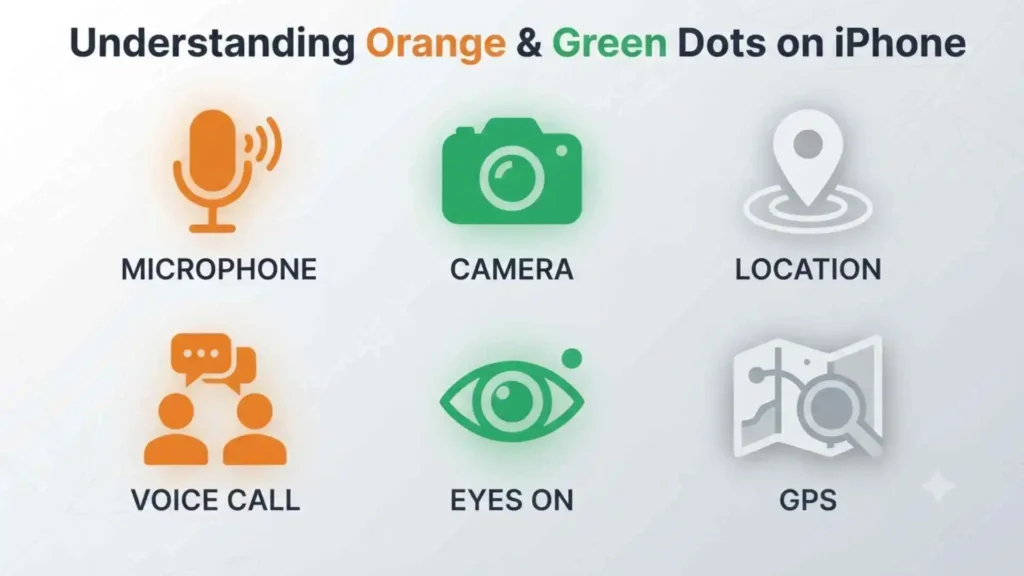
The orange and green indicators are among the most important privacy symbols on iPhone.
Apple introduced them with iOS 14 to make camera and microphone activity easier to notice.
What Does the Orange Dot Mean?
An orange dot means an app is using the microphone without using the camera.
It may appear while you are:
- Recording a Voice Memo
- Making an audio call
- Sending a voice message
- Speaking to Siri
- Using speech-to-text
- Recording audio in an app
An orange square may replace the dot when the Differentiate Without Color accessibility setting is enabled.
What Does the Green Dot Mean?
A green dot means an app is using the camera, or the camera and microphone together.
It commonly appears during:
- FaceTime calls
- Video recording
- Camera use
- Video meetings
- Social media story creation
- Document scanning
If the dot appears unexpectedly, open Control Center. iOS can identify the app that recently used the camera or microphone.
Are Orange and Green Dots a Sign of Spying?
Not automatically.
They are warnings that protected hardware is active, not proof that someone is spying. A legitimate app may be using your microphone or camera because you gave it permission.
However, investigate when:
- The indicator appears without a clear reason
- An unfamiliar app is named
- The dot remains visible after closing the expected app
- The app does not need camera or microphone access
Review permissions under Settings > Privacy & Security > Microphone and Camera.
Colored Status Bar and Dynamic Island Indicators
Sometimes the time, Dynamic Island, or another area at the top of the screen changes color. This usually means an important activity is running in the background.
Blue Indicator
A blue indicator may mean that:
- Screen Mirroring is active
- An app is actively using your location
- Personal Hotspot is active
- Another ongoing system activity is taking place
Tap the colored area to return to the related feature when supported.
Green Indicator
A green area around the time or Dynamic Island often indicates an active phone or FaceTime audio call.
Green has long been associated with permission, connection, and active communication in digital interfaces.
Red Indicator
A red area commonly means:
- Screen recording is active
- Audio recording is taking place in a supported context
Red attracts attention quickly because the human brain often connects it with urgency, danger, or an action that should not be forgotten.
Purple Indicator
Purple may appear with features such as SharePlay or other collaborative media activities, depending on the iOS version.
Dynamic Island Symbols
On supported iPhone models, the Dynamic Island can display live activities such as:
- Calls
- Timers
- Music playback
- Voice recordings
- Navigation
- AirDrop transfers
- Personal Hotspot activity
- Screen recording
- Sports scores
- Ride or delivery updates
- Satellite connections
Pressing and holding the Dynamic Island may reveal controls. Tapping it usually opens the related app.
Focus Symbols on iPhone
When a Focus mode is active, its selected symbol may appear in the status bar or on the Lock Screen.
Common Focus symbols include:
| Symbol | Typical Focus mode |
| Crescent moon | Do Not Disturb |
| Bed | Sleep |
| Person | Personal |
| Identification badge | Work |
| Car | Driving |
| Book | Reading or study |
| Dumbbell | Fitness |
| Game controller | Gaming |
| Heart | Custom personal Focus |
Apple allows users to create custom Focus modes with different icons and colors. Therefore, a symbol may not have one universal meaning on every iPhone.
Crescent Moon Symbol
The crescent moon usually represents Do Not Disturb.
The moon has represented rest, silence, nighttime, mystery, and inward attention across many cultures. On iPhone, Apple uses that familiar association to show that interruptions are being limited.
This is one of the few iPhone symbols with a strong connection to ancient cultural imagery.
Common Control Center Symbols
Control Center provides quick access to frequently used tools, including Airplane Mode, Wi-Fi, Bluetooth, brightness, volume, Focus, and the flashlight.
Wi-Fi Button
The Wi-Fi control lets you manage wireless connectivity.
A common misunderstanding is that tapping Wi-Fi in Control Center always turns the feature off completely. On current Apple systems, it may disconnect the device from the present network while keeping Wi-Fi available for services such as AirDrop, AirPlay, Apple Watch, and Continuity.
To disable Wi-Fi fully, use Settings > Wi-Fi.
Bluetooth Symbol
Visual description: An angular shape formed from ancient runic-style lines.
Meaning: Bluetooth connectivity is available or active.
The Bluetooth logo has an unusual historical origin. It combines runes representing the initials of Harald “Bluetooth” Gormsson, a tenth-century Danish king associated with uniting regions. The technology name suggests connecting separate devices in a similar way.
On iPhone, Bluetooth supports:
- AirPods
- Apple Watch
- Car systems
- Speakers
- Keyboards
- Game controllers
- Hearing devices
- Other accessories
Like Wi-Fi, tapping Bluetooth in Control Center may disconnect accessories without turning Bluetooth off completely.
Cellular Data Symbol
Visual description: An antenna with curved signal waves.
Meaning: Mobile data access is enabled.
Turning it off stops apps from using cellular data, but normal phone calls and some carrier services may continue.
AirDrop Symbol
Visual description: Several circular waves surrounding a triangular or central shape.
Meaning: AirDrop settings or transfer activity.
AirDrop lets nearby Apple devices exchange photos, documents, links, and other files wirelessly.
Its radiating design suggests information moving outward through the air.
Screen Mirroring Symbol
Visual description: Two overlapping rectangles.
Meaning: Your iPhone can display or is displaying its screen on another compatible device.
The two screens symbolize duplication. If Screen Mirroring is active unexpectedly, open Control Center and inspect the selected display.
Rotation Lock Symbol
Visual description: A padlock surrounded by a circular arrow.
Meaning: Screen orientation is locked.
When active, turning the phone sideways will not rotate supported apps into landscape mode.
The icon combines two clear ideas:
- The circular arrow represents rotation
- The lock means that rotation is restricted
Brightness Symbol
Visual description: A sun.
Meaning: Screen brightness control.
The sun has represented light, energy, vision, and awareness across human history. In digital design, it naturally communicates display illumination.
Volume Symbol
Visual description: A speaker with sound waves.
Meaning: Audio volume control.
More waves suggest louder sound. A crossed-out speaker suggests muted or disabled audio.
Focus Symbol
The crescent moon or another chosen Focus icon opens Focus controls.
You can use it to manage:
- Do Not Disturb
- Sleep
- Work
- Driving
- Personal modes
- Custom Focus settings
Flashlight Symbol
Visual description: A flashlight or torch.
Meaning: Turns the rear LED light on or off.
Press and hold the control to adjust brightness on supported iOS versions.
Timer Symbol
Visual description: A partial clock or stopwatch.
Meaning: Opens timer controls.
A circular shape represents repeating time, while the hand or marker shows measured duration.
Calculator Symbol
Visual description: A small calculator.
Meaning: Opens the Calculator app or its quick controls.
Camera Symbol
Visual description: A camera body with a circular lens.
Meaning: Opens the Camera app.
The modern camera icon is based on older physical cameras, even though many users now take most photographs with phones.
QR Code Scanner Symbol
Visual description: Four corner brackets surrounding a small code pattern.
Meaning: Opens Code Scanner for reading QR codes.
The open corners suggest that the camera is framing and identifying a visual target.
Hearing Symbol
Visual description: An ear.
Meaning: Opens hearing-related controls, such as compatible hearing devices, background sounds, or Live Listen.
Guided Access Symbol
Guided Access limits an iPhone to one app and controls which features are available.
It is especially useful for:
- Children
- Classroom activities
- Public demonstrations
- Focused tasks
- Accessibility support
Apple TV Remote Symbol
Visual description: A remote-control shape.
Meaning: Opens controls for a compatible Apple TV or television device.
Shazam or Music Recognition Symbol
Visual description: A circular Shazam-style mark.
Meaning: Identifies music playing nearby or within another app.
Screen Recording Symbol
Visual description: A solid circle inside a larger circle.
Meaning: Starts or stops screen recording.
After a countdown, the iPhone records activity displayed on the screen. A red indicator normally appears while recording is active.
Low Power Mode Control
Visual description: A battery icon.
Meaning: Quickly activates or disables Low Power Mode.
Dark Mode Symbol
Visual description: A circle divided into light and dark halves.
Meaning: Switches between light and dark screen appearances.
The design represents visual contrast and the movement between day and night.
Satellite Symbols on iPhone
Compatible iPhone models can use satellite features when normal cellular and Wi-Fi connections are unavailable.
Apple states that Emergency SOS via satellite is supported on iPhone 14 and later in eligible regions. It can help users contact emergency services when they are off the grid.
Satellite Icon
Visual description: A small satellite with panels or radiating signals.
Meaning: Satellite services are available, connecting, or active.
Depending on location, hardware, software, and regional support, satellite features may include:
- Emergency SOS
- Messages via satellite
- Find My location sharing
- Roadside Assistance
Apple’s iPhone guide identifies the satellite status icon as an indicator that supported satellite features are available in the user’s location.
What the Satellite Connection Graphics Mean
When connecting, the iPhone may show:
- A satellite’s position
- Direction arrows
- A connection meter
- Instructions to turn left or right
- Warnings that trees or buildings are blocking the signal
These visuals guide the user toward a clearer view of the sky.
Symbols in Messages on iPhone
The Messages app uses many icons to communicate actions and message status.
Blue and Green Message Bubbles
| Bubble color | Common meaning |
| Blue | Sent using iMessage or another Apple-supported rich messaging state |
| Green | Sent using SMS, MMS, RCS, or carrier-based messaging, depending on device and configuration |
Bubble color alone does not tell you whether someone has blocked you.
Up Arrow in the Text Box
The upward arrow sends your message.
It may appear dim when:
- The message box is empty
- A required connection is unavailable
- Content is still processing
Plus Symbol
The plus sign opens attachments and app options, such as:
- Photos
- Camera
- Audio
- Location
- Stickers
- Apple Cash, where available
- Other Messages apps
Microphone or Audio Wave Symbol
The microphone or waveform lets you record an audio message.
An orange privacy dot may appear because the microphone is active.
Exclamation Mark
A red exclamation mark means the message was not delivered.
Tap it to retry or choose another sending method.
Crescent Moon Beside a Conversation
A moon symbol beside a conversation usually means alerts for that conversation are hidden.
Messages may still arrive, but notifications are silenced.
Bell With a Slash
A crossed-out bell also indicates muted notifications or hidden alerts.
Location Pin
A pin represents a shared place or live location.
The pin grew from physical map markers used to identify points on printed maps and planning boards.
Symbols in the Phone App
Handset Symbol
The traditional telephone handset represents making or receiving a call.
Although modern phones no longer use this shape, it remains internationally recognizable.
Red Handset
A red phone symbol usually ends or rejects a call.
Green Handset
A green phone symbol answers or begins a call.
Clock Symbol in Recents
The clock represents recent call history or timing information.
“i” in a Circle
A lowercase i inside a circle means information.
Tap it to view details such as:
- Contact information
- Call history
- Blocking options
- Sharing controls
- Communication settings
Voicemail Tape Symbol
The voicemail icon resembles an old reel-to-reel recording device. It survives as a visual metaphor even though voicemail is now digital.
Symbols in Photos and Camera
Live Photo Symbol
Visual description: Several concentric or broken circles.
Meaning: Live Photo is active or the image contains a brief motion-and-sound recording.
Flash Symbol
A lightning bolt represents the camera flash.
| Flash appearance | Meaning |
| Normal lightning bolt | Flash option available |
| Bolt with slash | Flash off |
| “A” beside bolt | Automatic flash |
| Highlighted bolt | Flash enabled |
Night Mode Symbol
Visual description: A crescent moon.
Meaning: Night mode is available or active in low light.
The moon again represents darkness, nighttime, and reduced light.
Portrait Symbol
A person-shaped outline or depth-related icon indicates Portrait mode or portrait lighting controls.
Timer Symbol
A clock icon lets you delay the photo by a selected number of seconds.
Filters Symbol
Overlapping circles usually represent camera or photo filters.
Each circle suggests a layer of color or visual treatment.
Crop Symbol
Two intersecting right angles represent cropping and framing.
Adjustments Symbol
Sliders or dial shapes open editing controls for brightness, contrast, shadows, color, and other image settings.
Heart Symbol
A heart marks a photo as a favorite.
The heart’s connection with affection developed over centuries in European art and literature. In modern interfaces, it broadly represents liking, saving, or emotional value.
Trash Can Symbol
The trash can deletes a photo or moves it to Recently Deleted.
It is one of the oldest and most widely used computer interface metaphors.
Cloud Symbol
A cloud may indicate that a photo is stored in or downloading from iCloud.
A cloud with an arrow often means upload or download, depending on the direction of the arrow.
Symbols in Safari
Lock or Privacy Connection Symbol
A lock or related site-control icon indicates connection and website information.
It should not be treated as proof that a website is honest. It mainly shows that the connection is encrypted when HTTPS is in use.
“aA” or Page Menu Symbol
This control opens website display and page options, which may include:
- Reader
- Text size
- Website settings
- Content controls
- Page translation
Its appearance may vary by iOS version.
Share Symbol
Visual description: A square with an upward arrow.
Meaning: Opens the Share Sheet.
It may let you:
- Send a link
- Copy the page address
- Save to Files
- Add a bookmark
- Create a note
- Share with an app or contact
Book Symbol
An open book can represent bookmarks, history, Reading List, or saved reading tools.
Overlapping Squares
Two overlapping squares represent browser tabs.
The symbol suggests multiple pages stacked behind one another.
Reload Symbol
A circular arrow reloads the current page.
The circle represents repetition or renewal.
Symbols in Mail
Envelope
Represents email or a message.
Curved Reply Arrow
A left-pointing curved arrow means reply.
Double Reply Arrow
Two arrows can mean reply to all.
Right-Pointing Arrow
A right-pointing arrow often means forward.
Flag
Marks an email for attention or follow-up.
Flags have historically been used to signal identity, warning, importance, or a point requiring notice.
Archive Box
A box shape stores the message in an archive instead of deleting it.
Trash Can
Moves the email to Trash.
Paperclip
Shows that an email contains an attachment.
The paperclip became a digital symbol because physical documents were once attached together with metal clips.
Deep Symbolic Meaning of Symbols on iPhone
Although iPhone icons are practical tools, they also reveal how people create meaning through visual language.
Digital Symbolism
A symbol compresses a large idea into a small shape.
The battery icon does not contain actual energy. It represents energy.
The cloud is not a real cloud. It represents remote internet storage.
The chain links do not physically join devices. They represent connection.
This process is similar to ancient symbolic systems. Humans have always used simplified images to communicate ideas that would take longer to explain in words.
Psychological Level
Icons reduce mental effort.
The brain can recognize a familiar image almost instantly. This lowers what psychologists and designers call cognitive load, which is the amount of mental effort required to complete a task.
Color adds another layer:
- Green often suggests success, permission, or active communication
- Red suggests danger, stopping, or recording
- Yellow suggests caution or conservation
- Blue suggests connectivity, information, or a system function
- Orange draws attention without always indicating danger
These associations are partly biological, partly cultural, and partly learned from repeated use.
A Jungian View of Digital Symbols
Carl Jung wrote about archetypes, recurring patterns and images that appear across human stories and cultures.
Most iPhone symbols are not archetypes in the strict sense. However, several draw on ancient symbolic patterns:
- The sun represents light and awareness
- The moon represents rest, silence, and inner attention
- The heart represents affection and value
- The lock represents safety, secrecy, or restriction
- The eye represents seeing and observation
- The arrow represents direction and movement
- The circle represents unity, continuity, or repetition
Digital designers reuse these patterns because they already feel meaningful.
Cultural Level
iPhone icons form part of a global visual language.
A traveler may not understand the written language on a screen, yet still recognize:
- A camera
- A phone
- A Wi-Fi signal
- A battery
- A heart
- A trash can
- A map pin
However, symbols are not perfectly universal. Cultural experience, age, disability, and familiarity with technology can affect interpretation.
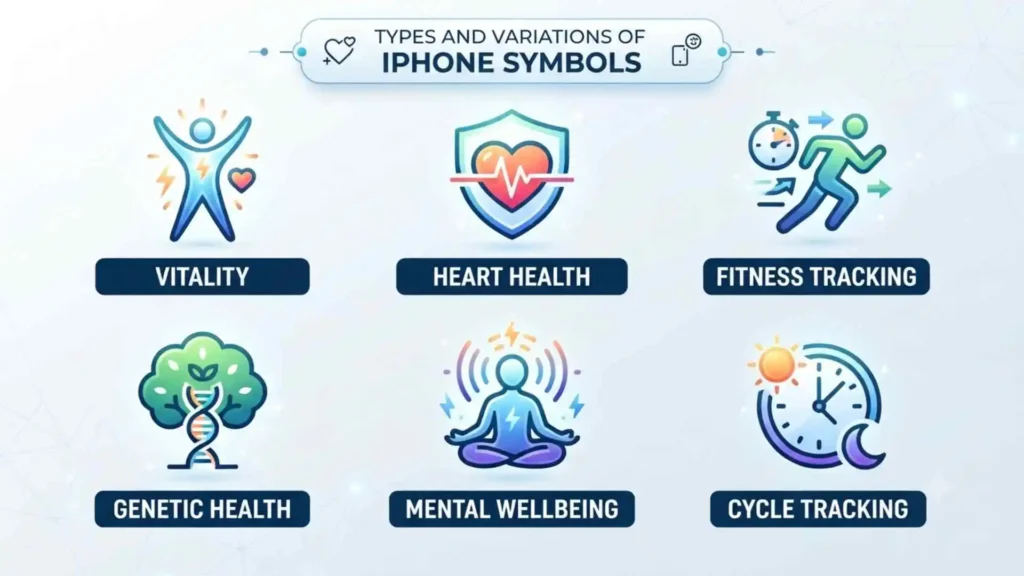
Types and Variations of iPhone Symbols
Status Symbols
Visual description: Small icons near the top of the screen.
Meaning: Show current device conditions.
Where they appear: Status bar and Dynamic Island.
Examples: Battery, signal bars, Wi-Fi, VPN, SOS, location arrow.
Control Symbols
Visual description: Buttons inside rounded squares or control panels.
Meaning: Let users change a setting or activate a tool.
Where they appear: Control Center and Settings.
Examples: Airplane Mode, Bluetooth, brightness, flashlight, rotation lock.
Privacy Symbols
Visual description: Colored dots and location arrows.
Meaning: Reveal access to sensitive hardware or information.
Where they appear: Status bar and Control Center.
Examples: Orange microphone dot, green camera dot, location arrow.
Action Symbols
Visual description: Arrows, boxes, pens, hearts, and trash cans.
Meaning: Perform an action inside an app.
Where they appear: Toolbars, menus, and app screens.
Examples: Share, edit, favorite, delete, download, upload.
Warning Symbols
Visual description: Exclamation marks, red icons, or alert triangles.
Meaning: Something failed, needs attention, or may be unsafe.
Where they appear: Messages, Settings, battery displays, network alerts, and app notifications.
Accessibility Symbols
Visual description: A person in a circle, an ear, speech bubbles, or hearing-device graphics.
Meaning: Open features designed for vision, hearing, movement, speech, or cognitive accessibility.
Where they appear: Accessibility Shortcuts, Control Center, and Settings.
Symbols on iPhone Across Different Cultures
iPhone symbols are modern, but many of their visual roots are ancient.
Ancient Egypt
Ancient Egyptians used hieroglyphs to combine images, sounds, objects, and ideas. A bird could represent an actual bird, a sound, or a symbolic concept.
iPhone symbols work differently, but the basic principle is familiar: a simple image carries meaning without requiring a full sentence.
Ancient Greece
Greek art and writing gave symbolic roles to objects such as the owl, laurel wreath, lyre, and lightning bolt.
The lightning bolt remains familiar today. On iPhone, it represents electricity and charging rather than divine power, yet its visual association with energy survives.
Roman Culture
Roman signs, military standards, coins, and public inscriptions used recognizable images to communicate power, identity, and authority.
Modern interface badges play a smaller but related role. A badge tells the user that something deserves attention.
Eastern Traditions
Circles, balance, empty space, and natural images are important in many East Asian artistic and philosophical traditions.
Modern interface design often values similar qualities:
- Simplicity
- Visual balance
- Clarity
- Reduced clutter
- Meaningful empty space
This does not mean iPhone design directly copies one tradition. Rather, it shows how minimal forms can carry strong meaning across cultures.
Indigenous Traditions
Indigenous cultures are highly diverse, so their symbols should never be treated as one universal system.
Many Indigenous traditions use visual patterns to record identity, relationships, land, ancestry, movement, and story. Digital icon systems also use repeated shapes to communicate relationships and actions, though they belong to a very different cultural and technological context.
Modern Global Culture
Today, interface symbols travel across borders through smartphones, websites, transportation systems, games, and social media.
The Wi-Fi mark, play triangle, power symbol, and location pin have become recognizable in many parts of the world.
Similar iPhone Symbols and Their Meanings
| Symbols | Similarity | Important difference |
| Orange dot and green dot | Both are privacy indicators | Orange means microphone use; green means camera or camera plus microphone use |
| Wi-Fi and Personal Hotspot | Both involve wireless internet | Wi-Fi connects to a router; hotspot connects through another mobile device |
| SOS and satellite icon | Both can relate to emergency access | SOS usually describes limited cellular service; satellite indicates satellite capabilities or connection |
| Crescent moon and Night mode moon | Both use a moon shape | One controls notifications; the other relates to low-light photography |
| Lock and Rotation Lock | Both include a lock | A normal lock suggests security; Rotation Lock prevents screen rotation |
| Cloud download and cloud upload | Both use cloud storage | Arrow direction reveals whether content is arriving or leaving |
| Screen Mirroring and tabs | Both use overlapping rectangles | Mirroring represents another screen; tabs represent multiple pages |
| Location arrow and navigation arrow | Both show direction | One indicates privacy-related location access; the other guides travel |
Common Misconceptions About iPhone Symbols
A Green Dot Does Not Mean Your iPhone Has Been Hacked
It means the camera, or camera and microphone, is active. The activity may be expected or unexpected, but the dot itself does not prove hacking.
SOS Does Not Mean an Emergency Call Has Already Been Made
It usually means normal carrier service is unavailable while some emergency calling capability may remain.
A Strong Wi-Fi Icon Does Not Guarantee Internet Access
Your iPhone may have a strong connection to a router that has lost its own internet connection.
The Bluetooth Button May Not Fully Disable Bluetooth
Control Center can disconnect accessories while keeping Bluetooth available for Apple ecosystem features. Use Settings when you need to turn it off completely.
A Lock Icon Does Not Guarantee a Website Is Safe
An encrypted connection protects data in transit, but a dishonest website can also use encryption.
A Green Message Does Not Prove You Were Blocked
Message color can change for many technical reasons, including unavailable iMessage service, network conditions, settings, and the recipient’s device type.
Symbols on iPhone in Mythology and Folklore
The iPhone itself does not have a traditional mythology. However, several icons borrow forms that have appeared in myths and folklore for centuries.
The Moon
The moon has represented mystery, cycles, sleep, femininity, dreams, and transformation in many traditions.
On iPhone, it appears in Do Not Disturb, Sleep Focus, and Night mode. Its modern role still carries the ancient idea of quiet darkness.
The Sun
The sun has symbolized life, power, knowledge, truth, and renewal.
On iPhone, it controls brightness. The meaning has become practical, but the link with light and visibility remains.
The Lightning Bolt
In Greek mythology, the lightning bolt was associated with Zeus. In Norse stories, thunder was linked with Thor.
On iPhone, a lightning bolt simply communicates electrical power or charging. Yet the ancient connection between lightning and energy makes the symbol easy to understand.
The Heart
Stories, poetry, and art have long treated the heart as the center of love and emotion.
On iPhone, the heart marks favorite photos, health information, affection, or liked content.
The Cloud
Clouds have represented heaven, mystery, change, distance, and divine realms in many traditions.
In modern technology, “the cloud” represents distant computer servers. The old idea of something existing above and beyond direct reach survives in a technical form.
Symbols on iPhone in Art, Literature, Movies, and Pop Culture
Smartphone icons now appear constantly in modern storytelling.
Movies and Television
A low-battery symbol can create tension when a character needs help. A typing indicator can build suspense. A location pin can reveal where someone is hiding or traveling.
Directors use familiar phone symbols because viewers understand them immediately.
Literature
Contemporary novels often include texts, notification marks, emojis, screenshots, and interface symbols to show digital communication.
These visual elements can reveal:
- Anxiety
- Social distance
- Romantic interest
- Secrecy
- Urgency
- Misunderstanding
Graphic Design
Apple’s icon style has influenced app design, websites, advertising, product packaging, and other operating systems.
Designers often aim for:
- Simple outlines
- Balanced spacing
- Recognizable metaphors
- Consistent line thickness
- Clear visual hierarchy
Tattoos and Fashion
Some people use digital symbols as tattoos, jewelry, or clothing designs.
Common examples include:
- Battery icons
- Wi-Fi signals
- Location pins
- Power buttons
- Play symbols
- Hearts
- Airplane Mode icons
These marks may represent travel, disconnection, emotional energy, online identity, or life in a connected world.
Spiritual and Dream Meaning of iPhone Symbols
Technical icons do not have official spiritual meanings. However, people may interpret them personally in dreams, meditation, or symbolic reflection.
Dreaming of a Low Battery Symbol
A low battery may symbolize:
- Emotional exhaustion
- Lack of rest
- Reduced motivation
- Fear of losing contact
- A need to restore personal energy
The dream may reflect the familiar experience of watching a phone lose power when it is needed most.
Dreaming of No Signal
No signal may suggest:
- Difficulty communicating
- Loneliness
- Feeling unheard
- Separation from a person or community
- Fear of losing support
Dreaming of a Location Pin
A location pin may symbolize:
- Searching for direction
- Wanting to belong
- A need to return home
- Fear of being watched
- A desire to understand your place in life
Dreaming of Airplane Mode
Airplane Mode may represent:
- A need to disconnect
- Emotional boundaries
- Escape from constant demands
- Travel or transition
- Temporary silence
Dreaming of a Green Camera Dot
A green privacy dot may reflect concerns about:
- Observation
- Exposure
- Reputation
- Personal boundaries
- Being judged
These interpretations are psychological possibilities, not fixed predictions.
Positive and Negative Meanings of Symbols on iPhone
| Positive meaning | Negative meaning |
| Connection with other people | Constant interruption |
| Access to information | Information overload |
| Privacy awareness | Fear of surveillance |
| Direction and navigation | Dependence on digital guidance |
| Fast communication | Pressure to reply immediately |
| Creative expression | Comparison and social anxiety |
| Safety and emergency support | Worry about losing service |
| Focus and silence | Isolation or avoidance |
| Stored memories | Difficulty living in the present |
| Personal control | Anxiety about settings and notifications |
The same symbol can represent both light and shadow.
A moon icon can create peaceful silence, but it can also cause an important call to be missed. A location arrow can support navigation, but it can also remind users that apps may track movement.
Context creates meaning.
Why Humans Are Attracted to iPhone Symbols
Humans naturally search for patterns.
A simple shape gives the brain something stable to recognize. Once we learn that a square with an upward arrow means sharing, we can use the same idea across many apps without reading instructions again.
Familiarity Creates Confidence
Repeated symbols make technology feel predictable.
A trash can deletes. A magnifying glass searches. A heart saves a favorite. These patterns reduce uncertainty.
Symbols Create Emotional Reactions
A red battery can cause immediate worry. A green call bar may create relief. Three typing dots can produce excitement, hope, or anxiety.
The image itself is small, but its emotional effect can be powerful.
Digital Symbols Become Personal
A Focus icon may represent a person’s working hours. A heart may mark a treasured photograph. A location pin may identify home.
Over time, a standard system icon can gain a deeply personal meaning.
Cultural Memory Supports Recognition
Icons work best when they connect with objects or ideas people already know.
The moon, sun, heart, arrow, lock, bell, and cloud existed as meaningful symbols long before the iPhone. Digital design gives them new jobs without erasing their older associations.
Modern Uses of Symbols on iPhone
Privacy Protection
Orange dots, green dots, and location arrows help users notice access to sensitive features.
Navigation
Arrows, maps, pins, and compass symbols guide movement and identify places.
Communication
Phone handsets, speech bubbles, microphones, envelopes, and video cameras represent different forms of contact.
Accessibility
Accessibility icons help users find hearing, vision, speech, movement, and cognitive support features.
Branding
Apple and third-party developers use consistent symbols to create recognizable app identities and user experiences.
Social Media
Hearts, arrows, bookmarks, bells, cameras, and share icons guide nearly every social interaction on mobile platforms.
Personal Expression
Custom Focus modes, Lock Screen widgets, app icons, wallpapers, and shortcuts allow people to shape the visual language of their own devices.
How to Identify an Unknown Symbol on iPhone
When an unfamiliar icon appears, follow these steps.
Open Control Center
On an iPhone with Face ID, swipe down from the top-right corner.
On many models with a Home button, swipe up from the bottom edge.
Control Center may reveal:
- Active privacy access
- Focus mode
- Screen recording
- Wireless connections
- Audio activity
- Screen Mirroring
- Personal Hotspot use
Tap or Hold the Symbol
Some Dynamic Island and Control Center symbols open more information when tapped or pressed and held.
Check Privacy Settings
Open:
Settings > Privacy & Security
Review:
- Location Services
- Camera
- Microphone
- Bluetooth
- Local Network
- Tracking
Check Focus Settings
Open:
Settings > Focus
An unfamiliar moon, person, bed, car, or custom symbol may belong to an active Focus mode.
Review VPN Settings
Open:
Settings > General > VPN & Device Management
This can help identify an unexpected VPN or configuration profile.
Restart and Update the iPhone
A temporary display issue may disappear after restarting.
You should also install current iOS updates through:
Settings > General > Software Update
Interesting Facts About Symbols on iPhone
- The Bluetooth symbol is based on runes. It combines characters associated with the initials of King Harald Bluetooth.
- The voicemail symbol resembles reel-to-reel tape. Many younger users have never used the physical technology it depicts.
- The save icon used in many apps resembles a floppy disk. This object is now uncommon, yet the symbol remains widely understood.
- The telephone handset icon represents an older phone design. Modern smartphones look nothing like it.
- The orange privacy dot can become a square. This happens when Differentiate Without Color is enabled for accessibility.
- A yellow battery means Low Power Mode. It does not necessarily mean the battery is damaged.
- The Wi-Fi symbol measures connection strength, not internet quality. A router can have no working internet even when all Wi-Fi curves appear.
- Control Center buttons do not always behave like Settings switches. Wi-Fi and Bluetooth may disconnect temporarily while remaining available for certain system features.
- Focus symbols can be customized. The same icon may represent different routines on different users’ phones.
- Satellite features depend on hardware and region. Seeing or not seeing a satellite option does not mean the phone is malfunctioning.
Frequently Asked Questions
What do the symbols at the top of my iPhone mean?
They show information about cellular service, Wi-Fi, battery level, charging, location access, VPN connections, Focus modes, calls, privacy activity, and other active services.
What does the little arrow mean on iPhone?
The arrow usually means an app or system service is using or has recently used Location Services. You can review location access under Settings > Privacy & Security > Location Services.
What does the orange dot mean on iPhone?
The orange dot means an app is using your microphone without using the camera. Open Control Center to see which app recently accessed it.
What does the green dot mean on iPhone?
The green dot means an app is using the camera, or the camera and microphone together. It may appear during video calls, photography, scanning, or video recording.
What does SOS mean at the top of an iPhone?
SOS means your normal cellular network is unavailable, but emergency calls may still be possible through another available carrier network. It does not mean an emergency call has already been placed.
Why is my battery symbol yellow?
A yellow battery symbol means Low Power Mode is turned on. This feature reduces some background activity to help the battery last longer.
Conclusion
Symbols on iPhone transform complicated device activity into a visual language you can understand at a glance.
A tiny dot can protect your privacy, an arrow can reveal location use, and a yellow battery can help you conserve power.
Many of these icons also draw on ancient human symbols of light, movement, protection, connection, and rest.
Once you learn their meanings, your iPhone no longer feels secretive. It becomes a clearer and more trustworthy tool in your hands.

Hello, I’m Rowan Sinclair, a passionate writer and lifelong admirer of the wisdom found in great quotes. I believe that words have the ability to inspire change, spark creativity, and connect people across cultures and generations.
I enjoy writing about motivational quotes, famous sayings, and lessons from history’s most influential thinkers. Every article I create is driven by my desire to help readers discover meaningful insights that they can apply to their own lives.
When I’m not writing, I spend my time reading biographies, exploring classic literature, and collecting memorable quotes that deserve to be shared with the world.
I am the author of Voices That Inspire and A Collection of Timeless Thoughts, two books that celebrate the enduring power of words and the stories behind them.
 Asher Monroe
 Sienna Brooks