
If you use an Omron blood pressure monitor at home, you may notice small symbols appearing beside your readings. Some indicate a normal measurement process, while others warn about movement, cuff placement, low batteries, or an irregular heartbeat.
Understanding Omron blood pressure monitor symbols helps you interpret the display, troubleshoot common problems, and take more reliable readings. However, not every Omron device uses the same icons. Your monitor’s model number and instruction manual are the best sources for confirming a symbol’s exact meaning.
This guide explains common Omron display symbols, what to do when they appear, how to understand your blood pressure numbers, and when to seek medical advice.
Omron Blood Pressure Monitor Symbols and Their Meanings
Omron offers different types of monitors, including upper-arm and wrist devices. Some models also include Bluetooth connectivity, stored readings, averages, and additional heart rhythm indicators.
The table below covers common symbols found on certain Omron models. It is a general reference, not a universal chart for every device.
| Symbol or indicator | What it usually means | What you should do |
| Heartbeat symbol | The monitor detects heartbeats during measurement | Usually, no action is needed |
| Irregular heartbeat symbol | The monitor detected an irregular rhythm during a reading | Repeat the reading correctly; seek medical advice if it keeps appearing |
| Movement error symbol | Movement may have affected the measurement | Stay still and repeat the measurement according to the manual |
| Cuff wrap guide | The cuff may be too loose on supported models | Refit the cuff and follow the positioning instructions |
| High blood pressure indicator | The reading meets the monitor’s programmed threshold | Check the actual reading and follow medical guidance |
| Low battery symbol | Battery power is running low | Replace the batteries as instructed |
| Depleted battery symbol | The batteries are exhausted | Install the specified replacement batteries |
| Deflation symbol | The cuff is releasing air | Usually, no action is needed |
| Memory symbol | The monitor is displaying a stored reading | Check the date, reading, and selected user |
| Average symbol | The device is showing an average of previous readings | Check the manual to understand which readings are included |
| Bluetooth or connection symbol | The device is connecting to a compatible phone or service | Check the connection if data will not transfer |
| Sync symbol | The monitor is transferring or preparing to transfer stored data on supported models | Follow the app and device instructions |
| User ID symbol | The monitor has selected a user profile | Confirm the correct user before measuring |
| Pulse display | The monitor is displaying your pulse rate | Review it alongside the blood pressure reading |
For examples of documented Omron display symbols, consult the Omron 7 Series wrist monitor manual and the Omron BP7365CAN instruction manual. These manuals describe specific models, so confirm your own device’s display before acting on an unfamiliar icon.
What Does the Heart Symbol Mean on an Omron Blood Pressure Monitor?
The heart icon is one of the most recognizable Omron blood pressure monitor symbols. Its meaning depends on the symbol’s appearance and when it shows up.
A heart that flashes during measurement often indicates that the device is detecting your heartbeat. A separate irregular-heartbeat symbol can indicate that the monitor detected an unusual rhythm during the reading.
These indicators serve different purposes.
Normal Heartbeat Symbol
During an automatic measurement, the monitor inflates the cuff and detects changes in pressure associated with your pulse. A heartbeat icon may flash while the device performs this process.
On compatible models, the icon can help you recognize that the monitor is actively measuring your pulse.
The normal heartbeat symbol does not automatically mean that your blood pressure is healthy. You still need to check the systolic and diastolic numbers displayed after the measurement.
Irregular Heartbeat Symbol
Some Omron monitors display a special icon when they detect an irregular heartbeat pattern during a measurement.
For example, certain Omron models define an irregular rhythm as a detected heartbeat interval that differs substantially from the average interval. The exact detection criteria depend on the device.
An irregular-heartbeat indicator does not confirm that you have atrial fibrillation or another heart condition. Movement and measurement conditions can also affect the result.
If the symbol appears:
- Remain still during the measurement.
- Repeat the reading according to the instruction manual.
- Record the result and note whether the symbol appears again.
- Speak with a healthcare professional if it repeatedly appears.
Seek urgent medical care if you experience symptoms such as chest pain, severe shortness of breath, or fainting. Do not rely on the monitor’s symbol to decide whether these symptoms are serious.
What Does the Cuff Symbol Mean on an Omron Monitor?
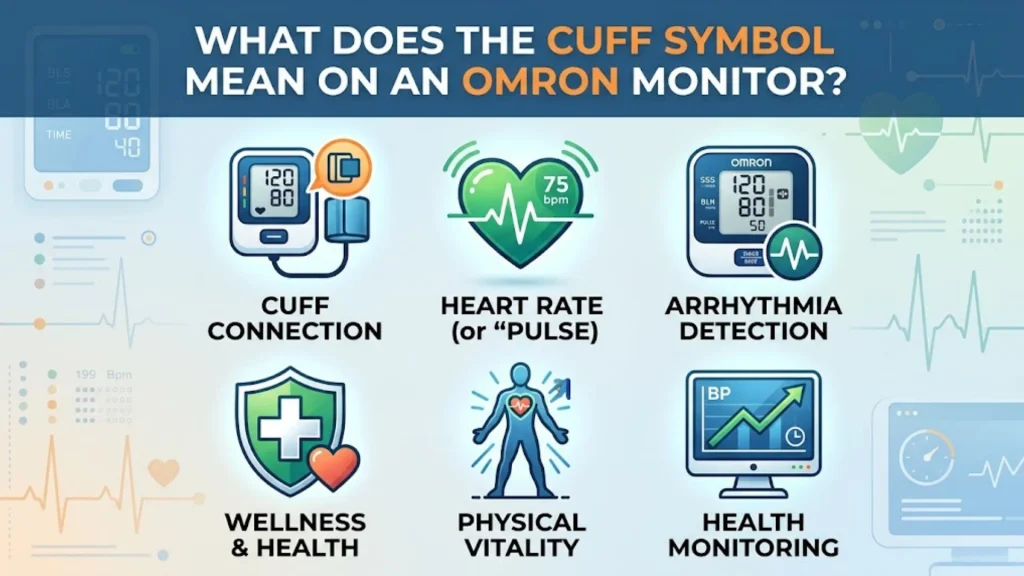
The cuff symbol or cuff wrap guide helps users identify a possible problem with cuff placement or tightness on supported models.
An incorrectly fitted cuff can affect blood pressure measurement accuracy. If the cuff is too loose, positioned incorrectly, or the wrong size, the monitor may struggle to obtain a reliable result.
Cuff Wrap Guide Symbol
Some Omron wrist monitors display a cuff wrap guide when the cuff is not wrapped tightly enough around the wrist. Certain models may also show the indicator when you review stored readings.
If you see this symbol during measurement, remove the cuff if necessary and fit it again according to the manual.
Do not assume that every cuff-shaped icon has the same meaning. Some devices display a fitting guide, while others use different indicators or error messages.
How to Fit an Upper-Arm Cuff Correctly
For a typical upper-arm monitor:
- Choose a cuff that fits your arm according to the manufacturer’s sizing instructions.
- Place the cuff on your bare upper arm.
- Position it as shown in the device manual, usually just above the bend of the elbow.
- Keep your arm supported at heart level.
- Tighten the cuff according to the manufacturer’s directions.
The cuff should fit securely without being painfully tight. Do not place it over clothing unless your specific device instructions explicitly allow it.
How to Position a Wrist Monitor
Wrist monitors require particular attention to positioning. Keep the wrist at heart level and follow the manufacturer’s directions for cuff placement.
A wrist monitor held too low or too high can produce a reading that differs from your actual blood pressure. If you regularly receive inconsistent results, ask a healthcare professional whether an upper-arm monitor would be more appropriate for you.
What Does the Movement Error Symbol Mean?
The movement error symbol indicates that body or arm movement may have interfered with a measurement on supported models.
Automatic monitors rely on detecting pressure changes in the cuff. Moving, talking, or tensing your muscles can interfere with these signals.
Some Omron manuals recommend removing the cuff, waiting two to three minutes, then reapplying it and taking another measurement while remaining still. Follow the instructions for your specific device.
Common Causes of Movement Errors
Movement-related warnings may appear if you:
- Talk during the measurement.
- Move your arm or wrist.
- Shift your body in the chair.
- Tighten your muscles.
- Fail to support your arm.
- Use a cuff that is not fitted correctly.
How to Fix a Movement Error
Try these steps:
- Stop and relax.
- Remove and reapply the cuff if the manual recommends it.
- Sit with your back supported and feet flat on the floor.
- Rest your arm on a table or other firm surface.
- Keep your arm still and avoid talking.
- Repeat the measurement according to the manual.
Do not keep taking readings rapidly without addressing the cause of the warning. Correct positioning and a short rest can be more useful than repeatedly pressing the start button.
What Does the High Blood Pressure Symbol Mean on an Omron Monitor?
Some Omron monitors display a high blood pressure indicator when a reading meets a programmed threshold. Depending on the model, this indicator may appear as a labeled icon, a symbol, or a visual guide.
The indicator is not a diagnosis. It tells you that the measurement has crossed the threshold programmed into that device.
Why the High Indicator May Appear
The indicator may appear because your systolic pressure, diastolic pressure, or both have reached the monitor’s specified level.
The threshold can vary by model and device settings. Therefore, you should check the instruction manual instead of assuming that every Omron monitor uses the same cutoff.
Your actual blood pressure readings matter more than the symbol alone. A reading contains two numbers, expressed in millimeters of mercury (mm Hg).
- Systolic blood pressure is the top number. It measures pressure against the artery walls when the heart contracts.
- Diastolic blood pressure is the bottom number. It measures pressure against the artery walls while the heart rests between beats.
For general adult categories, the American Heart Association lists normal blood pressure as below 120 systolic and below 80 diastolic. A reading with systolic pressure of 130–139 or diastolic pressure of 80–89 falls within its Stage 1 hypertension category. These are clinical categories, not necessarily the exact thresholds used by your Omron device. See the American Heart Association’s blood pressure categories.
What Should You Do if the High Symbol Appears?
- Sit quietly and check that you used the monitor correctly.
- Repeat the reading when appropriate.
- Record both results instead of relying on a single measurement.
- Contact a healthcare professional if readings remain high.
- Do not change or stop prescribed medication without medical advice.
High blood pressure often has no obvious symptoms. A person can feel well while repeatedly recording elevated readings, which is why regular monitoring and appropriate medical assessment matter.
What Do the Battery Symbols Mean on an Omron Monitor?
Battery indicators help you understand whether your monitor has enough power to operate.
The exact display varies, but some Omron devices use one symbol for low battery power and another for depleted batteries.
Low Battery Symbol
A flashing or partially filled battery icon commonly warns that battery power is running low.
The monitor may continue to operate for a time, but you should replace the batteries according to the manual. Avoid waiting until the device stops working, especially if you rely on it for regular home blood pressure testing.
Depleted Battery Symbol
A depleted battery indicator means the batteries need replacement. Some devices may stop taking measurements until you replace them.
Use the battery type specified in the manual. Check the positive and negative markings when installing new batteries.
What if the Battery Symbol Stays On?
If the warning remains after replacement:
- Confirm that you used the correct battery type.
- Check that the batteries face the correct direction.
- Inspect the compartment for visible dirt or damage.
- Follow the manual’s troubleshooting instructions.
- Contact Omron support if the warning persists.
Do not assume that a persistent battery symbol means the monitor is measuring incorrectly. First, rule out a power or installation issue.
What Do the Bluetooth and Sync Symbols Mean?
Some Omron monitors can connect to a compatible phone or digital service. These models may display Bluetooth, connection, or sync symbols.
These features are not available on every Omron device.
Bluetooth Symbol
A Bluetooth indicator may show that wireless connectivity is enabled or that the monitor is interacting with a compatible device.
If you cannot connect the monitor to your phone, check whether your model supports wireless connectivity. Then follow the pairing instructions in the manual and the compatible app.
Sync Symbol
A sync indicator may appear when the monitor transfers readings or needs to synchronize stored information.
If the readings do not appear in the app:
- Check that the monitor supports the app you are using.
- Turn on Bluetooth if the model requires it.
- Confirm that the phone and monitor have been paired correctly.
- Follow the app’s instructions to transfer the readings.
- Check the manual for storage limits and sync requirements.
Avoid deleting stored measurements until you understand how the device manages memory and data transfer.
What Do the Memory and Average Symbols Mean?
Omron monitors with memory functions can store previous readings. Some models also calculate averages or distinguish between multiple users.
These symbols help you review your measurements over time.
Memory Symbol
The memory symbol indicates that the monitor is displaying a previously saved reading or accessing its stored measurement history.
Depending on the model, the display may show the reading, pulse rate, date, time, or memory number.
Use the manual to learn how to move between stored readings. Do not confuse a stored measurement with your current blood pressure.
Average Reading Symbol
Some devices calculate an average from a set of recent measurements. The number of readings included and the time period used can vary by model.
An average can help you identify trends, but it should not replace the individual readings or your healthcare professional’s instructions.
User ID Symbol
Monitors with multiple user profiles may display a number or other indicator for the selected user.
Before measuring, confirm that the correct profile is active. Otherwise, your results may be stored alongside another person’s measurements.
How to Review Your Blood Pressure History
When reviewing saved readings, look for:
- Date and time, if available.
- Systolic pressure.
- Diastolic pressure.
- Pulse rate.
- Any displayed warning indicators.
- The selected user profile.
Recording measurements in a blood pressure journal can help you and your healthcare professional identify patterns. A log is especially useful when readings vary throughout the day or when a treatment plan is being monitored.
Omron Blood Pressure Monitor Error Codes and How to Fix Them
An error code means the device has encountered a condition that prevents it from completing a measurement normally or requires your attention.
However, Omron blood pressure monitor error codes are model-specific. Do not assume that an E1, E2, or E3 code means the same thing on every device.
How to Identify an Error Code
Before troubleshooting, note:
- The full model number.
- The exact code or symbol on the screen.
- Whether the cuff inflated.
- Whether the error appeared before, during, or after measurement.
- Whether the problem occurs repeatedly.
Then open the matching instruction manual and look for the error-message or troubleshooting section.
How to Troubleshoot Common Measurement Problems
The following actions may help when they match the guidance in your manual.
| Problem | What to check |
| Measurement fails to complete | Check cuff placement, movement, and the manual’s error instructions |
| Movement warning appears | Remain still and repeat the measurement as directed |
| Cuff warning appears | Refit the cuff according to the model’s instructions |
| Device will not turn on | Check the batteries or power supply |
| Bluetooth connection fails | Confirm compatibility, pairing, and app settings |
| An error keeps returning | Record the exact code and contact manufacturer support if needed |
What to Do if an Error Code Keeps Appearing
Do not repeatedly restart the monitor without checking the cause.
First, consult the manual for the exact code. If the prescribed troubleshooting steps do not resolve the issue, contact Omron support or ask a healthcare professional to help check your measurement technique.
If you need a reading for an urgent medical decision and the device will not work, do not rely on a faulty monitor. Seek appropriate medical assessment instead.
What Do the Numbers on an Omron Blood Pressure Monitor Mean?
The main numbers on your monitor describe blood pressure, while the pulse display shows your heart rate.
Understanding these blood pressure numbers and meanings helps you interpret a result without relying only on the device’s symbols.
What Does the Top Blood Pressure Number Mean?
The top number is the systolic blood pressure. It represents the pressure in your arteries when the heart contracts and pumps blood.
For example, in a reading of 120/80 mm Hg, the systolic number is 120.
What Does the Bottom Blood Pressure Number Mean?
The bottom number is the diastolic blood pressure. It represents the pressure in your arteries between heartbeats, when the heart muscle relaxes.
In a reading of 120/80 mm Hg, the diastolic number is 80.
A high systolic number, a high diastolic number, or both can indicate hypertension. A healthcare professional considers your overall circumstances and repeated readings when assessing your blood pressure.
What Does the Pulse Number Mean?
The pulse number usually represents your heart rate in beats per minute.
It is separate from the systolic and diastolic readings. A pulse indicator or heartbeat icon does not, by itself, tell you whether your blood pressure is normal.
General Adult Blood Pressure Categories
The following categories reflect the American Heart Association’s general guidance for adults. They are not an Omron-specific symbol chart.
| Category | Systolic pressure | Diastolic pressure |
| Normal | Below 120 | Below 80 |
| Elevated | 120–129 | Below 80 |
| Stage 1 hypertension | 130–139 | 80–89 |
| Stage 2 hypertension | 140 or higher | 90 or higher |
| Severe hypertension | Higher than 180 and/or higher than 120 | Seek prompt medical guidance; symptoms affect urgency |
When systolic and diastolic numbers fall into different categories, the higher category generally guides classification. A clinician should interpret readings in context, particularly for children, pregnancy, or people with certain medical conditions.
These ranges do not mean that every reading in a particular category requires the same treatment. Blood pressure management depends on repeated measurements, medical history, other risk factors, and professional assessment.
How to Take an Accurate Reading With an Omron Monitor
Correct technique improves the usefulness of your readings and may reduce errors caused by movement or poor cuff placement.
The American Heart Association recommends using a validated monitor with the correct cuff size, sitting quietly before measuring, and recording multiple readings. See its home blood pressure monitoring guidance.
Prepare Before Measuring
For a typical adult home measurement:
- Avoid smoking, caffeine, alcohol, and exercise for at least 30 minutes beforehand when possible.
- Empty your bladder.
- Sit quietly for at least five minutes.
- Use a monitor and cuff suitable for your needs.
- Follow the specific instructions for your Omron model.
These steps help reduce factors that can temporarily affect blood pressure.
Position Your Body Correctly
Sit with your back supported and your feet flat on the floor. Keep your legs uncrossed.
For an upper-arm monitor, rest your arm on a flat surface so the cuff is at heart level. Place the cuff on bare skin according to the manual.
For a wrist monitor, position your wrist as instructed, usually at heart level. Wrist devices are particularly sensitive to incorrect positioning.
Take and Repeat the Reading
Remain still and avoid talking during the measurement.
If your healthcare professional or device instructions recommend multiple readings, take two readings about one minute apart. Record both rather than selecting only the lower number.
If the movement symbol appears, follow the manual’s instructions before repeating the measurement.
Keep a Blood Pressure Log
A consistent record can reveal trends that a single reading cannot show.
Include:
- Date and time.
- Systolic and diastolic readings.
- Pulse rate, if displayed.
- Any recurring symbols or error messages.
- Relevant notes, such as missed medication or unusual symptoms.
Take your readings at the times recommended by your healthcare professional. Do not change your medication based only on a home monitor’s display.
When Should You Worry About an Omron Blood Pressure Reading?
An unfamiliar symbol does not always mean that you have a medical problem. However, a warning should not be ignored if it appears repeatedly or accompanies concerning symptoms.
Repeated Irregular Heartbeat Warnings
If an irregular-heartbeat symbol appears repeatedly, record the readings and contact a healthcare professional for advice.
The monitor cannot confirm a heart rhythm diagnosis. A clinician may recommend further assessment based on your symptoms and medical history.
Repeated High Blood Pressure Readings
Repeated high readings deserve medical attention even when you feel fine. High blood pressure often causes no noticeable symptoms.
Take readings using the recommended technique and share your record with a healthcare professional. Do not wait for symptoms before discussing persistently elevated results.
Very High Blood Pressure With Symptoms
A reading higher than 180 systolic and/or 120 diastolic requires careful attention.
If you get a reading in this range:
- Wait at least one minute.
- Measure again.
- If the reading remains that high, contact a healthcare professional immediately.
- If you also have chest pain, shortness of breath, back pain, numbness, weakness, vision changes, or difficulty speaking, call emergency services immediately.
These symptoms can indicate a hypertensive emergency. Do not wait for the monitor to show another icon or for your blood pressure to decrease on its own. The American Heart Association provides additional guidance in its article on when to call emergency services for high blood pressure.
Low Blood Pressure With Symptoms
A low reading may be normal for some people, but symptoms matter. Hypotension can be concerning when it causes dizziness, fainting, confusion, or other signs of inadequate blood flow.
If you feel dizzy, sit or lie down to reduce the risk of falling. Seek medical advice for recurring symptoms, and get urgent help for severe symptoms or fainting.
Do not increase salt intake, change medication, or use compression stockings solely because of one low reading. Treatment depends on the cause and your individual health needs.
How to Find the Correct Omron Blood Pressure Monitor Manual
The safest way to identify an unfamiliar icon is to check the instruction manual for your exact device.
Find the Model Number
Look for the model number on the monitor, product label, packaging, or original documentation. Similar-looking monitors can use different display symbols and error codes.
Record the full model number, including any letters or suffixes.
Find the Official Instruction Manual
Visit the Omron Healthcare website or the official Omron support website for your region. Search for your model number and open its matching instruction manual.
Look for sections titled Display Symbols, Know Your Monitor, Error Messages, or Troubleshooting.
Compare the Symbol With the Manual
Compare the symbol’s shape, position, and surrounding display information. Check whether it appears during measurement, after measurement, or when viewing saved readings.
If the manual does not explain the symbol clearly, contact the manufacturer rather than guessing.
Frequently Asked Questions About Omron Blood Pressure Monitor Symbols
What do the symbols mean on an Omron blood pressure monitor?
Omron symbols can indicate a detected heartbeat, irregular heartbeat, movement error, cuff fit, battery condition, stored readings, or wireless connectivity. The exact meaning depends on the monitor model.
What does the heart symbol mean on an Omron blood pressure monitor?
A flashing heart symbol commonly indicates that the monitor is detecting heartbeats during measurement. A separate irregular-heartbeat icon indicates that the device detected an irregular rhythm pattern.
What does the irregular heartbeat symbol mean?
It means the monitor detected a heartbeat pattern that met its irregular-rhythm criteria during the measurement. It does not confirm a medical diagnosis. If the indicator repeatedly appears, seek professional advice.
What does the cuff symbol mean on an Omron monitor?
On some models, the cuff wrap guide indicates that the cuff may be too loose. Refit the cuff according to your monitor’s instructions and repeat the reading if recommended.
What does the movement error symbol mean?
It indicates that movement may have affected the measurement. Stay still, support your arm correctly, and repeat the measurement according to the manual.
What does the high blood pressure symbol mean?
It usually indicates that a reading has reached the model’s programmed high-reading threshold. Check the actual numbers and compare them with appropriate medical guidance.
What do E1 and E2 mean on an Omron blood pressure monitor?
Their meanings depend on the model. Check the error-code section of your exact monitor’s manual before attempting a fix.
Why is my Omron monitor showing an error?
Possible causes include movement, cuff placement, battery problems, or another model-specific issue. Check the displayed code and follow the manufacturer’s troubleshooting instructions.
Why does the battery symbol remain after changing the batteries?
Check the battery type, polarity, and installation. If the warning continues, follow the manual’s troubleshooting guidance or contact Omron support.
How do I reset my Omron blood pressure monitor?
The reset procedure varies by model. Consult the matching manual before pressing reset buttons or removing power, particularly if you want to preserve stored readings.
Where can I find an Omron blood pressure monitor symbols chart or PDF?
The most reliable reference is the display-symbol section of the official instruction manual for your exact model. A manual for a different Omron monitor may show different icons.
Conclusion
Understanding Omron blood pressure monitor symbols makes it easier to recognize measurement indicators, identify common problems, and decide what to check next. Heartbeat, cuff-fit, movement, battery, memory, and connectivity icons can all serve different purposes depending on the model.
When a symbol appears, compare it with your device’s official manual rather than assuming that every Omron monitor uses the same display. Use proper measurement technique, record your readings, and consult a healthcare professional about repeated irregular-heartbeat warnings or persistently unusual blood pressure results.
Most importantly, do not rely on a symbol alone to judge your health. Your readings, symptoms, and medical circumstances all matter.

Hi, I’m Asher Monroe, a writer who believes that meaningful words have the power to inspire change and bring people closer to their dreams. I have always been fascinated by the beauty of quotes and the way a simple message can provide motivation, hope, and comfort.
I enjoy creating content around inspirational quotes, life lessons, success stories, and positive thoughts that help readers find encouragement in their everyday lives. My goal is to share words that connect with people and remind them of their inner strength.
Through my writing, I explore the ideas of personal growth, confidence, and the importance of staying inspired through every chapter of life.
I am the author of Words That Move the Soul and The Path of Endless Inspiration, two books focused on the power of wisdom, positivity, and meaningful thoughts.
 Sienna Brooks
 Rowan Sinclair Rowan Sinclair