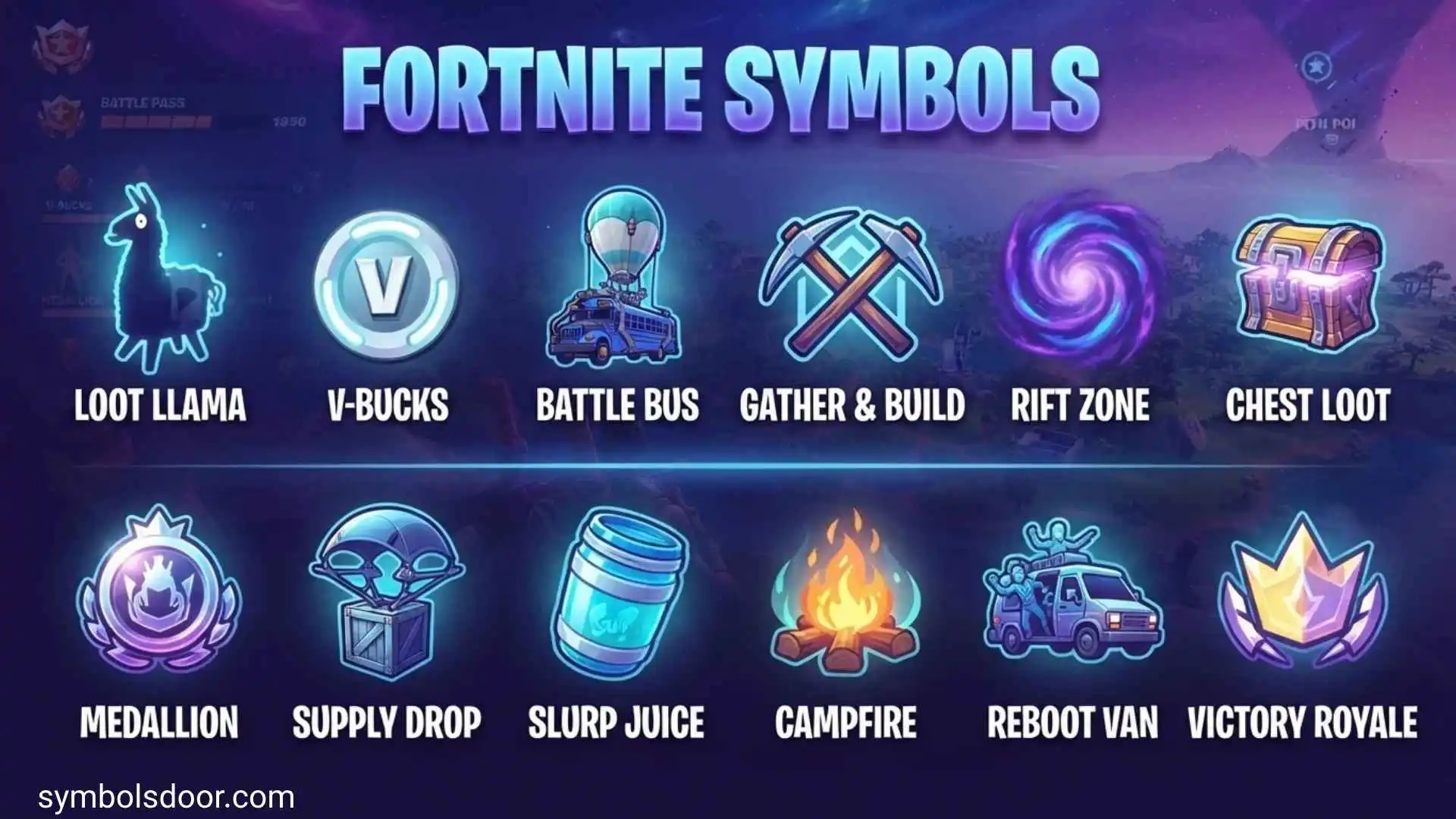
Fortnite uses dozens of icons and symbols to help you understand what’s happening in the game. You’ll see them everywhere, from the lobby and Locker to the Item Shop, Quests, and in-game HUD. Some symbols show your health and shield levels, while others help you track teammates, locate enemies, manage inventory, or unlock rewards.
However, not every Fortnite icon represents a gameplay feature. Some provide shortcuts to menus, identify cosmetic items, display player statuses, or indicate available content. Understanding these visual cues makes navigating Fortnite much easier.
Whether you’re a new player or someone who has spent hundreds of hours on the island, knowing what these Fortnite symbols mean can save time and help you make better decisions. This guide explains the major Fortnite icons, their meanings, and where you’ll encounter them.
What Do All Fortnite Icons and Symbols Mean?
Fortnite icons are small visual indicators that represent different features, actions, items, and information throughout the game. They appear in menus, gameplay screens, maps, and other parts of the interface.
For example, a shield icon represents your shield protection, a microphone indicates voice chat, and a magnifying glass provides access to search features. During a match, footsteps and gunfire indicators can help you understand nearby activity.
The meaning of an icon depends on where it appears. A crown in a party interface may identify the party leader, while a crown-shaped symbol in a progression menu may belong to a particular pass or reward feature.
Here are the main categories of Fortnite game icons:
- Lobby icons: Help you access game modes, friends, settings, and other menu features.
- Locker icons: Represent outfits, emotes, wraps, instruments, and other cosmetic items.
- Item Shop icons: Help you browse cosmetics, bundles, and available purchases.
- Passes icons: Represent progression systems, subscriptions, and rewards.
- Quest icons: Identify missions, challenges, and experience-point rewards.
- HUD icons: Display health, shields, ammunition, inventory, and match information.
- Map symbols: Help you understand locations, markers, directions, and storm boundaries.
- Social icons: Show friend status, party information, and communication options.
Keep in mind that Fortnite receives regular updates. Some icons move, change appearance, or disappear as Epic Games adjusts the interface. Your platform and selected game mode can also affect which symbols appear.
Fortnite Lobby Screen Icons and Symbols
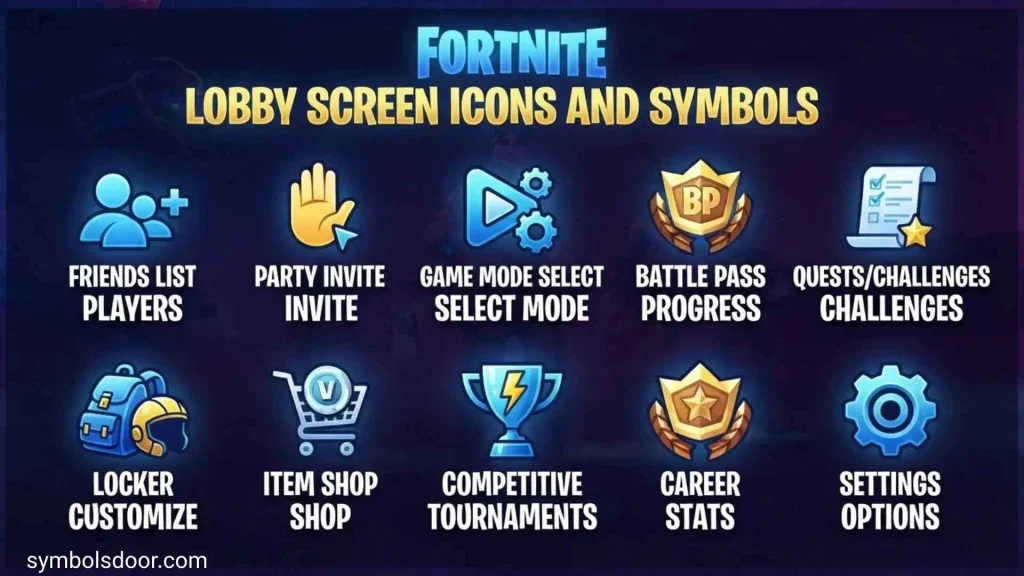
The Fortnite lobby is the main starting point for accessing experiences, managing your party, and customizing your game. Its interface contains several Fortnite menu icons that help you navigate different features.
Search Icon (Magnifying Glass)
<kbd>⌕</kbd> Meaning: Search for Fortnite experiences and content.
The search icon looks like a magnifying glass. It helps you find specific experiences, islands, maps, and other available content without browsing every category.
You can use search to find:
- Creative islands
- Creator-made maps
- Published experiences
- Specific game modes
- Other searchable Fortnite content
For example, if you want to play a particular obstacle course or survival island, searching for its name or island code can help you locate it.
Library Icon (Book Stack)
<kbd>▤</kbd> Meaning: Access your library of saved or collected content.
The library icon represents a collection of content you can access through the interface. Depending on the current Discover layout, the library may include experiences you’ve saved, favorited, or recently played.
It helps you return to content without searching for the same island again.
V-Bucks Icon
<kbd>V</kbd> Meaning: Displays your V-Bucks balance.
The V-Bucks symbol identifies Fortnite’s virtual currency. V-Bucks are used to purchase eligible cosmetics and other content through Fortnite’s shop.
You may use them to buy:
- Character skins and outfits
- Emotes and dances
- Weapon wraps
- Cosmetic bundles
- Eligible pass-related content
V-Bucks aren’t the same as XP. XP increases your account progression, while V-Bucks serve as a purchasing currency.
Profile Icon
Meaning: Access your player profile and account-related options.
The profile icon represents your player identity. Depending on the screen, it may show your profile picture, display name, or access to account-related features.
You may also find social and settings options through the profile area.
XP Bar and Level Progress Bar
Meaning: Shows your experience points and account progression.
The XP bar displays your progress toward the next account level. XP stands for experience points, which you earn through eligible activities such as completing quests and playing supported experiences.
The level progress indicator helps you understand how much additional XP you need to advance.
For example:
- A partially filled bar means you’re progressing toward another level.
- A completed bar indicates that you’ve reached the required XP threshold.
- A higher account level reflects additional progression.
Don’t confuse account XP with V-Bucks. They serve entirely different purposes.
Social Tab (Group of Three Figures)
Meaning: Opens your friends and social panel.
The Social tab uses a group-of-people symbol. It provides access to your friends, party members, and other social features.
Depending on your interface, you may find:
- Online friends
- Offline friends
- Friends who are away
- Blocked players
- Party invitations
- Friend requests
- Party management options
This section makes it easier to connect with other players before starting a match.
Add Friends Icon (Person With Plus)
Meaning: Add another player to your friend list.
The Add Friends icon usually looks like a person with a plus sign. Select it when you want to search for another player or manage friend requests.
You may need to enter a player’s Epic display name to find the correct account.
Looking For Party Icon
Meaning: Find other players or manage party-finding options.
The Looking For Party feature helps players find teammates instead of relying only on their existing friend list.
Depending on the current social interface and available features, you may be able to find players with similar interests or party preferences.
Voice Chat Icon (Microphone)
Meaning: Access voice communication features.
The microphone icon represents voice chat. Fortnite supports communication through different channels, including party and game channels where available.
- Party Channel: Communicate with members of your party.
- Game Channel: Communicate with eligible teammates in the current experience.
A microphone indicator may also show whether a player is speaking or whether voice communication is available.
Settings Icon (Gear)
Meaning: Open Fortnite’s settings menu.
The gear icon provides access to game settings. It is one of the most useful Fortnite interface icons because it lets you customize how the game looks, sounds, and responds.
Common settings include:
- Video and graphics
- Audio volume
- Voice chat
- Mouse and keyboard controls
- Controller settings
- Gameplay options
- Game UI and HUD settings
- Accessibility features
You can also adjust performance-related options, including frame-rate settings where supported by your platform.
Menu Icon (Hamburger Icon)
Meaning: Open the main menu or sidebar.
The hamburger icon consists of three horizontal lines. It provides access to additional navigation options.
Depending on the current screen, you may find settings, social features, reporting options, and other menu commands.
Party Leader Crown Symbol
Meaning: Identifies the leader of a party.
A crown symbol can identify the player responsible for leading a Fortnite party. The party leader generally controls important party actions, such as selecting an experience or starting matchmaking.
Don’t confuse this crown with Battle Pass or reward-related crown graphics. Their meanings depend on the interface where they appear.
Platform Icons (PC, PlayStation, and Xbox)
Meaning: Identify a player’s gaming platform or platform-related information.
Fortnite supports cross-platform play. As a result, you may encounter platform indicators beside player names or within social interfaces.
Common platforms include:
- PC
- PlayStation
- Xbox
- Other supported gaming platforms
These symbols help distinguish platform information when the interface displays it. Their exact appearance can vary between versions and devices.
Open Sidebar and Invite Friends Icons
Meaning: Access additional navigation and party invitations.
Sidebar controls open additional interface options, while invitation symbols help you invite friends to join your party.
If you want to play with friends, these controls provide a convenient way to manage your group before matchmaking begins.
Fortnite Locker Icons and Symbols
The Fortnite Locker is where you manage your character’s appearance and other cosmetic customizations. Epic Games describes the Locker as the place for storing outfits, pickaxes, wraps, and other appearance-related items.
The Locker screen contains several icons that help you select, customize, and organize cosmetics.
Character Icon (Outfit)
Meaning: Displays your equipped character outfit.
The character icon represents an outfit or skin. Fortnite offers a large selection of character cosmetics, including original characters and licensed collaborations.
You can select an available outfit to change how your character appears in the lobby and compatible experiences.
Edit Character and Edit Styles Icons
Meaning: Customize the appearance of an outfit.
Some outfits include multiple selectable styles. The Edit Styles option lets you choose between the styles available for that particular cosmetic.
For example, an outfit might include different colors, clothing variations, or visual effects.
Not every skin has additional styles. If the option isn’t available, the outfit may have only one appearance.
Emote Icon (Dancing Figure)
Meaning: Access dances, gestures, and other emotes.
The dancing figure represents emotes. These cosmetics allow your character to perform animations during compatible gameplay experiences.
Emotes include:
- Dance animations
- Celebratory movements
- Gestures
- Character expressions
- Other interactive animations
You can equip your favorite emotes and use them through the appropriate emote controls.
Wrap Icon
Meaning: Customize eligible weapons and vehicles.
The wraps icon represents cosmetic designs that change the appearance of compatible weapons and vehicles.
Wraps don’t normally change a weapon’s damage, firing speed, or performance. They are visual customization options.
Lobby Wallpaper Icon
Meaning: Change the lobby’s visual background.
The wallpaper or background icon represents lobby presentation customization where available.
You can use supported backgrounds to change the appearance of your lobby rather than keeping the default visual presentation.
Car Icon
Meaning: Access vehicle cosmetics.
The car icon represents vehicle-related customization. Depending on your available cosmetics and current Locker interface, you may be able to manage vehicle bodies, decals, wheels, and other visual options.
These cosmetics don’t automatically provide a gameplay advantage.
Guitar and Musical Note Icons
Meaning: Access musical instruments and Jam Tracks.
Fortnite Festival includes music-related content. Its cosmetic collection can contain instruments such as:
- Guitars
- Drums
- Bass instruments
- Vocal-related cosmetics
The musical note icon may identify Jam Tracks or other music-related content.
Jam Tracks are songs that can be used in supported Festival features and other compatible experiences.
LEGO Brick Icon
Meaning: Identify LEGO-related cosmetics and content.
The LEGO brick symbol represents LEGO-related content within Fortnite.
You may encounter LEGO-themed outfits, character appearances, and customization options. Certain outfits also have corresponding LEGO styles for compatible experiences.
Broom Icon (Clear Badges)
Meaning: Clear or remove displayed badges where supported.
A broom-shaped symbol may appear beside badge-management options in particular interfaces.
When shown with a Clear Badges command, it indicates an action for clearing displayed badges. It shouldn’t be confused with a general Locker cleanup or cosmetic deletion tool.
Three Dots Icon (More Options)
Meaning: Open additional actions.
The three dots icon usually represents a More Options menu.
Depending on the selected cosmetic, it may provide actions such as:
- Viewing additional information
- Editing available styles
- Managing the selected item
- Accessing other supported cosmetic options
The available commands depend on the selected item.
White Plus Symbol
Meaning: Add or select an available item or customization option.
A white plus symbol can appear in different parts of the Locker. Its meaning depends on the surrounding controls.
It may indicate an available slot, an option to add something, or another selection action. Don’t assume every plus symbol performs the same function.
Yellow Dots and Exclamation Marks
Meaning: Identify new or recently added items.
Yellow dots and yellow exclamation marks can highlight new content in the Locker.
For example, after receiving a cosmetic reward, you may see a notification indicator beside its category.
These symbols help you find newly unlocked items without checking every cosmetic individually.
Load, Save, Randomize, and Clear Character Options
These commands manage saved cosmetic arrangements and character selections where supported.
| Option | Meaning |
| Load Character | Load a saved character or cosmetic arrangement. |
| Save Character | Save the current customization setup. |
| Randomize Character | Select random cosmetics from eligible items. |
| Clear Character | Remove or clear selected character customization options where supported. |
| Edit Styles | Change an outfit’s available appearance. |
These features make it easier to organize your cosmetics without rebuilding every selection manually.
Fortnite Item Shop Icons and Symbols
The Fortnite Item Shop is where players browse available cosmetic purchases. Its icons help you navigate categories, identify bundles, and understand different shop options.
Item Shop Icon
Meaning: Opens Fortnite’s cosmetic store.
The Item Shop displays available outfits, emotes, wraps, bundles, and other cosmetics.
Its content changes over time. Therefore, an item available today may not appear in the shop during a later visit.
Filter Icon (Vertical Lines)
Meaning: Filter available shop items.
The filter icon may look like several vertical lines or adjustment controls.
It helps organize shop content by available categories or filtering options. This can make it easier to find a particular type of cosmetic.
For example, you may want to browse outfits instead of scrolling through every available item.
Bundle Icon
Meaning: Identifies a cosmetic bundle.
A skin bundle combines multiple cosmetic items into one purchase offering.
Depending on the bundle, its contents may include:
- Character outfits
- Back blings
- Pickaxes
- Emotes
- Wraps
- Other cosmetic items
Always check the bundle details before purchasing. The included items and price can vary.
White Plus Icon in the Item Shop
Meaning: Provides an additional selection or item-related action.
A white plus symbol may appear beside shop content or item categories. Its exact purpose depends on the interface.
Check the surrounding label or selection before using it. A plus symbol isn’t automatically a purchase confirmation.
Cosmetic Item Categories
The Item Shop organizes cosmetics into different categories, helping you find what you want.
| Cosmetic category | What it represents |
| Outfits | Character skins and appearances |
| Emotes | Dances and character animations |
| Pickaxes | Harvesting tool cosmetics |
| Back Blings | Cosmetic accessories worn on the character’s back |
| Gliders | Aerial cosmetic equipment |
| Wraps | Weapon and vehicle appearance designs |
| Bundles | Collections of cosmetic items |
| Instruments | Music-related cosmetics |
V-Bucks purchases may require confirmation. Always review the item and price before completing a transaction.
Fortnite Passes Screen Icons and Symbols
The Fortnite Passes screen brings together progression-related content and reward systems. Its symbols help you identify different passes, subscriptions, and available rewards.
Fortnite Battle Pass Icon
Meaning: Identifies Battle Pass content and progression.
The Fortnite Battle Pass provides a progression system with rewards that players unlock by earning XP or meeting other requirements.
Depending on the current season, rewards can include:
- Character outfits
- Back blings
- Pickaxes
- Emotes
- Wraps
- Other cosmetic items
The Battle Pass interface shows available rewards and your progress toward unlocking them.
Fortnite Crew Icon (Crown Outline)
Meaning: Identifies Fortnite Crew subscription content.
Fortnite Crew is a recurring subscription service that provides eligible membership benefits.
Depending on the current subscription offer, benefits can include:
- Monthly Crew Pack cosmetics
- V-Bucks
- Access to eligible pass content
- Additional membership rewards
The crown outline is associated with Crew-related content in interfaces where that symbol is displayed.
Battle Royale Icon
Meaning: Identifies Battle Royale-related content.
Battle Royale is Fortnite’s well-known survival and elimination experience.
Players land on an island, collect equipment, survive the storm, and compete against other players.
Some interfaces use mode-specific artwork or symbols to distinguish Battle Royale from other experiences.
Crown With Star
Meaning: Identifies a particular pass or content category when displayed.
A crown with a star can appear as a decorative or category-specific symbol in Fortnite’s progression interface.
Its meaning depends on the screen and label beside it. It shouldn’t automatically be interpreted as a party leader indicator.
Fortnite OG and Llama Inside Shield
Meaning: Identifies Fortnite OG-related content where displayed.
Fortnite OG revisits elements of earlier Fortnite Battle Royale experiences.
A llama inside a shield may appear as mode-related artwork or an interface graphic. Look at the accompanying label to confirm which OG feature it represents.
Fortnite Festival Icon (Musical Note)
Meaning: Identifies music-based Fortnite content.
Fortnite Festival is a rhythm-based experience where players perform songs using virtual instruments.
Its Main Stage includes instrument-based gameplay. Available instrument parts can include:
- Lead guitar
- Bass
- Drums
- Vocals
The musical note symbol helps distinguish Festival-related content from traditional Battle Royale activities.
LEGO Fortnite Icon (LEGO Minifigure)
Meaning: Identifies LEGO-themed Fortnite experiences.
LEGO Fortnite includes survival, crafting, exploration, and building features.
Its visual identity uses LEGO-style artwork and minifigure characters.
Depending on the experience, players can gather resources, build structures, explore environments, and encounter creatures.
Auto Claim Icon (Green Crown With Down Arrow)
Meaning: Represents automatic reward claiming where available.
The green crown with a downward arrow is associated with an automatic reward-claiming option in interfaces that support it.
Instead of manually selecting every eligible reward, an enabled automatic claiming feature can handle eligible rewards according to the system’s rules.
Always check the displayed description to understand which rewards qualify.
Battle Pass Reward Icons
Reward icons represent items that you can unlock through the progression system.
You may encounter different indicators for:
- Available rewards
- Locked rewards
- Claimed rewards
- Additional reward pages
- Rewards requiring specific progression
- Automatic claiming options
The lock or claim status matters more than the artwork itself. Check the reward details before assuming an item is already yours.
Fortnite Quests Screen Icons and Symbols
The Fortnite Quests screen displays missions, challenges, and progression tasks. Its symbols help you identify different experiences and understand which activities provide rewards.
Creator-Made Islands Icon (Square With Arrow)
Meaning: Identifies creator-made experiences or related content.
Fortnite includes thousands of player-created islands and experiences.
The square-with-arrow symbol can represent an external destination, linked content, or a related navigation action depending on its placement.
Creator-made islands can include:
- Parkour challenges
- Racing experiences
- Survival maps
- Team-based combat
- Puzzle games
- Role-playing experiences
You can discover many of these through Fortnite’s Discover interface.
Fortnite Ballistic Icon (Crosshair)
Meaning: Previously identified Ballistic-related content.
Fortnite Ballistic was a tactical first-person shooter experience. However, Epic Games removed it on April 16, 2026.
Older guides may still show its crosshair artwork or describe it as an active Fortnite mode. That information is outdated.
The crosshair itself remains a common aiming symbol in shooter games, but it shouldn’t be treated as proof that Ballistic is currently playable.
Fortnite Reload Icon (Reload Arrow)
Meaning: Identifies Fortnite Reload content.
Fortnite Reload is a faster-paced Battle Royale experience built around team-based respawn mechanics.
Its reload-related artwork helps distinguish the mode from the standard Battle Royale experience.
The central gameplay idea is that eligible teammates can return to the match while another squad member remains alive and the mode’s conditions allow it.
LEGO Fortnite Brick Life Icon (LEGO Head)
Meaning: Identifies LEGO-themed social and role-playing content where displayed.
LEGO Fortnite Brick Life is a social role-playing experience built around a LEGO-style environment.
Its features focus on activities and interactions beyond traditional Battle Royale combat.
The LEGO head symbol helps identify related content in interfaces that display it.
Rocket Racing Icon (Checkered Flag)
Meaning: Previously identified Rocket Racing content.
Rocket Racing was an arcade-style racing experience connected to Fortnite and Rocket League.
However, Epic Games removed Rocket Racing from Fortnite on October 1, 2026.
The checkered flag remains a recognizable racing symbol, but older articles that describe Rocket Racing as a currently playable Fortnite mode need updating.
Gift Box Icon (Quest Rewards)
Meaning: Represents rewards associated with quests or progression.
A gift box symbol usually identifies a reward or reward-related action.
Depending on its placement, it may help you locate an item available through quest completion or another progression feature.
Always open the associated reward details to see exactly what you can claim.
XP Icon
Meaning: Identifies experience-point rewards.
The XP symbol indicates experience points earned through eligible activities.
XP contributes to account-level progression and can help you advance through applicable reward systems.
Up Arrow Inside Shield (Level-Up Indicator)
Meaning: Indicates level progression or advancement.
An upward arrow inside a shield can represent progression or a level-related action in a particular interface.
When associated with XP, it helps communicate advancement toward another level.
Quest Completion Indicators
Quest screens can use different visual states to show your progress.
| Indicator | General meaning |
| Checkmark | Quest completed |
| Progress bar | Quest partially completed |
| Locked symbol | Requirement not yet met |
| XP icon | Experience-point reward |
| Gift box | Reward-related content |
The exact design may change between quests and seasons.
Fortnite Gameplay HUD Icons and Symbols
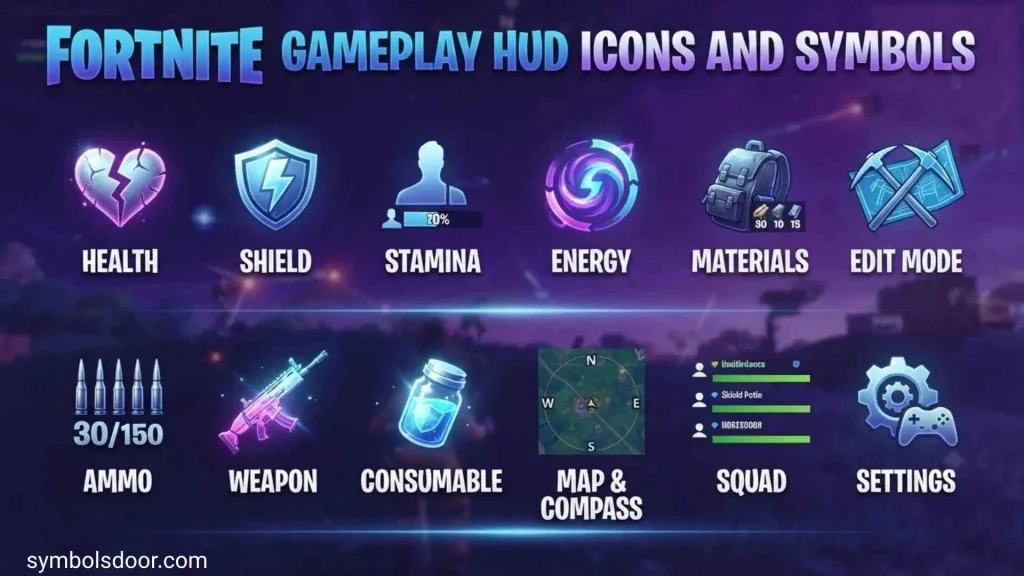
The Fortnite HUD, or heads-up display, shows important information while you’re playing.
It helps you monitor your character’s condition, inventory, ammunition, map position, and match progress without opening the main menu.
Epic Games defines the HUD as an interface that displays information such as health, possessions, ammunition, and game progression.
Here are the major Fortnite HUD icons and their meanings.
Health Icon (Plus Sign)
Meaning: Shows your character’s health.
The health icon usually appears beside your health bar.
Health represents how much damage your character can take before being eliminated or knocked down, depending on the game mode.
In standard Battle Royale gameplay, the health bar helps you monitor your remaining health during combat.
A low health level means you should look for a safe opportunity to recover.
Shield Icon
Meaning: Displays your shield protection.
The shield symbol appears beside the shield bar.
Shield provides additional protection against incoming damage in standard Battle Royale gameplay.
Your health and shield are separate values. Taking damage can reduce your shield before affecting your health, depending on the damage source and game mechanics.
For example:
- A full shield bar indicates maximum available shield for that mode.
- A partially filled bar means you’ve lost some shield.
- An empty bar means you currently have no shield protection.
Don’t confuse shield with health. Both affect survival, but they represent different resources.
Footsteps Icon (Visual Sound Indicators)
Meaning: Shows visual information about nearby sounds.
The footsteps icon is associated with Fortnite’s Visualize Sound Effects feature.
This accessibility feature converts certain audio cues into visual indicators on your screen.
It can help you detect nearby activities such as:
- Enemy footsteps
- Chest sounds
- Gunfire
- Vehicle movement
- Other supported sound effects
The indicators can help you understand the direction of an audio cue without relying entirely on headphones.
To enable the feature:
- Open Fortnite.
- Enter the lobby.
- Open your profile or display-name menu.
- Select Settings.
- Open the Audio tab.
- Turn Visualize Sound Effects on.
- Apply your changes.
The feature’s appearance and available sound categories may vary with game updates.
Gunshot and Muzzle Flash Indicators
Meaning: Help identify nearby gunfire and combat activity.
When Visualize Sound Effects is enabled, supported gunfire sounds can appear as visual indicators.
These cues help you estimate where combat is happening.
For example, if a gunfire indicator appears to your left, you can pay attention to that direction and prepare for a possible encounter.
However, a sound indicator doesn’t always provide an exact enemy location. Treat it as directional information rather than a precise tracking tool.
Crosshair Icon (Aim Indicator)
Meaning: Shows your aiming point.
The crosshair is the central aiming indicator used when handling compatible weapons.
It helps you line up shots and understand where your weapon is pointing.
Different weapons may have different aiming behavior. Some use a standard reticle, while others provide a scoped aiming view.
Crosshair appearance can also depend on your weapon, settings, and selected experience.
Waypoint Icon (Blue Pin)
Meaning: Marks a location on the map.
The blue pin icon represents a waypoint or map marker.
You can use waypoints to mark destinations and help your squad navigate the island.
For example, if you want to visit a specific location, place a marker on the map. Your teammates can then use the marker to identify your intended destination.
Waypoints are especially helpful when coordinating movement during squad matches.
Blue Clock Icon (Waiting for Players)
Meaning: Represents a waiting or time-related status in the relevant interface.
A blue clock may appear in waiting or matchmaking-related screens.
Depending on its location, it can represent a waiting period, countdown, or other time-based status.
Don’t assume every clock icon means the storm is moving. The label and screen context determine its meaning.
Map Icon and Mini-Map Symbols
Meaning: Open or identify map-related information.
The map icon gives you access to the Fortnite map.
The mini-map provides a smaller view of your surroundings during gameplay.
These features help you understand:
- Your current position
- Nearby locations
- Map markers
- Storm boundaries
- Teammate positions
- Navigation information
The mini-map is useful because you can monitor your surroundings without leaving the match.
Compass Icon
Meaning: Displays directional information.
The compass helps you identify directions and orient yourself on the island.
It can display headings such as north, south, east, and west, along with directional information related to locations and markers.
When coordinating with teammates, compass directions can make communication easier.
For example, saying that an enemy is approaching from the east gives your squad a clearer direction than simply saying someone is nearby.
Battle Bus and Skydiving Icons
Meaning: Represent Battle Bus and aerial movement information where displayed.
The Battle Bus transports players over the island at the beginning of a standard Battle Royale match.
Players choose when to jump and begin skydiving toward their preferred landing locations.
Skydiving-related indicators may appear in the interface to provide information about aerial movement or available controls.
Player Count Icon
Meaning: Displays the number of players remaining in a match.
The player counter shows how many players remain alive or active in the relevant match.
For example, if the counter shows 25 players remaining, that means the match has fewer active players than it did at the beginning.
The exact presentation can vary depending on the game mode.
Backpack Icon (Inventory)
Meaning: Represents your inventory and carried items.
The backpack or inventory icon provides access to your carried equipment.
Your inventory may contain:
- Weapons
- Ammunition
- Healing items
- Shield items
- Utility equipment
- Other collectible items
Managing your inventory is important because available slots and item choices can affect how prepared you are for combat.
Hammer Icon (Build Mode)
Meaning: Identifies building-related controls in supported modes.
The hammer icon is associated with building features in Fortnite experiences that support construction.
In standard building-enabled Battle Royale, players can use building materials to create structures for protection, movement, and combat.
Common building structures include:
- Walls
- Floors
- Ramps
- Roofs
Zero Build and other non-building experiences don’t use the same construction mechanics.
Building Material Icons (Wood and Stone)
Meaning: Display available construction resources.
Building-enabled modes may show different resource indicators.
These can include wood, stone, and metal.
| Material | General use |
| Wood | Building basic structures |
| Stone | Constructing structures with different durability characteristics |
| Metal | Building stronger structures that may take longer to construct |
The material indicators help you understand how many resources you have available.
Microphone Icon (Voice Chat)
Meaning: Indicates voice communication options or status.
The microphone icon helps you manage voice communication.
Depending on the interface, it may indicate:
- Microphone availability
- Muted status
- Active speaking
- Voice chat channels
- Teammate communication
Voice chat is particularly useful in squad-based gameplay because teammates can share enemy locations and coordinate their next moves.
Treasure Chest Icon
Meaning: Identifies loot-related information.
A treasure chest symbol represents loot chests or chest-related content where displayed.
Chests can contain weapons, ammunition, healing items, and other equipment.
Some visual indicators may help players locate nearby loot through sound or other interface cues.
Storm Icon (Purple Circle)
Meaning: Represents the storm and safe-zone information.
The purple storm circle is one of the most important symbols in Battle Royale.
The storm gradually reduces the safe area of the island, forcing players to move toward the next safe zone.
Your map displays storm-related information so you can plan your movement.
Pay attention to:
- Current storm boundaries
- Next safe-zone location
- Storm timing
- Your distance from safety
Remaining outside the safe zone can expose your character to storm damage.
Storm Movement Icon (White Clock)
Meaning: Displays storm-related timing or movement information where shown.
A white clock symbol may accompany storm-related information.
It can indicate a countdown or timing detail associated with the storm phase.
Check the accompanying text or timer instead of relying on the icon’s color alone.
Kill Counter Icon
Meaning: Displays your eliminations during a match.
The elimination counter tracks the number of opponents you’ve eliminated.
For example, if your counter displays five eliminations, you’ve eliminated five opponents during that match.
This is different from your total lifetime eliminations or overall account statistics.
Squad Kill Counter
Meaning: Displays squad-related elimination information where available.
Some interfaces show team or squad elimination information.
This helps you understand how many eliminations your group has achieved rather than focusing only on your individual performance.
Ammunition Icons (Light, Medium, and Heavy Bullets)
Meaning: Identify ammunition categories.
Ammunition symbols help you recognize the type of ammo associated with compatible weapons.
Historically, Fortnite has used categories such as light, medium, and heavy ammunition. The available ammunition types and weapon compatibility can change with updates.
| Ammunition category | Common weapon associations |
| Light Bullets | Certain pistols and submachine guns |
| Medium Bullets | Certain assault rifles |
| Heavy Bullets | Certain sniper rifles and heavy weapons |
Always check the weapon’s information and current inventory display. Not every weapon follows the same ammunition rules across all Fortnite seasons.
Vehicle Health Icon (Steering Wheel)
Meaning: Represents vehicle-related interface information.
The steering wheel symbol is associated with vehicle controls or vehicle-related information.
When driving a vehicle, you may encounter additional indicators for vehicle condition, controls, or available actions.
Vehicle health information helps you understand how much damage your vehicle has taken.
Trophy Icon (Survivor Rank)
Meaning: Identifies survival-related progression or rank information where displayed.
A trophy symbol can represent achievement or progression-related information.
In Fortnite interfaces that use Survivor Rank, the trophy may identify survival-related progression.
Its precise meaning depends on the game mode and interface. Don’t automatically treat every trophy as an elimination counter.
Squad Member Icon
Meaning: Identifies a teammate or squad member.
Squad indicators help you distinguish teammates from other players.
They can provide information about teammate locations, status, and related squad features.
Red Rectangle Icon (Squad Member Location)
Meaning: Identifies a squad-related location or marker where displayed.
A red rectangular indicator may appear in certain squad or gameplay interfaces.
Its meaning depends on the exact screen and surrounding information. Use the accompanying player label or map context to determine whether it represents a teammate, marked location, or another alert.
White Arrow Icon (Player Location)
Meaning: Indicates a player’s position or direction.
An arrow on the map or mini-map can represent your current location and orientation.
It helps you understand which direction you’re facing while moving around the island.
Storm Is Moving and Safe Zone Warnings
Meaning: Provide information about changing storm conditions.
Storm-related alerts help you understand when the safe zone is changing.
You should monitor these warnings throughout the match because ignoring the storm can leave you with limited time to reach safety.
Fortnite Map Icons and Navigation Symbols
Fortnite map symbols help you understand your surroundings and plan your next move. The full map provides a broader view of the island, while the mini-map offers quick information during gameplay.
Player Location Arrow
Meaning: Shows your current position and direction.
The player location arrow helps you identify where your character is on the map.
It may also indicate the direction you’re facing. This information becomes particularly useful when following a teammate’s marker or moving toward the next safe zone.
Waypoint and Map Marker Symbols
Meaning: Mark destinations and important locations.
Waypoints help you communicate with teammates and plan routes.
You can place a marker on a location you want to visit. Your teammates can then use it as a navigation reference.
Common reasons to place a marker include:
- Selecting a landing location.
- Marking nearby enemies or points of interest.
- Identifying valuable loot.
- Planning a route toward the safe zone.
- Coordinating squad movement.
Storm Circle Symbol
Meaning: Shows the current safe area and upcoming storm boundaries.
The storm circle is essential to Battle Royale navigation.
The map displays the safe area and helps you understand where you need to move before the storm closes in.
Pay attention to the next circle rather than waiting until the storm reaches your current position.
Compass Directions
Meaning: Help you identify your direction and orientation.
The compass displays directional headings and helps you communicate with teammates.
For example, if you spot an opponent north of your position, you can use the compass to give your squad a useful direction.
Battle Bus Route
Meaning: Shows the Battle Bus path during the beginning of a match.
The Battle Bus route helps players decide where to land.
Your preferred landing location may depend on available loot, nearby opponents, and how far the location sits from the bus route.
A landing marker can help your squad choose the same destination.
Teammate Location Indicators
Meaning: Show where your squad members are located.
Team location indicators help you keep track of other players in your squad.
They become especially useful when teammates spread out to collect equipment or explore different locations.
If a teammate moves away from the group, check their marker before deciding where to go next.
Fortnite Social and Squad Icons
Fortnite’s social features make it easier to connect with friends and coordinate team activities. These Fortnite social icons communicate friend status, party information, and voice chat availability.
Online Friends Icon
Meaning: Shows friends who are currently online.
An online status indicates that a friend is available or connected to Fortnite.
Depending on their privacy settings, you may be able to invite them to your party.
Offline Friends Icon
Meaning: Identifies friends who aren’t currently online.
Offline indicators help you distinguish unavailable friends from players who are actively using Fortnite.
You generally cannot send them an immediate in-game party invitation.
Away Status Icon
Meaning: Indicates that a friend is marked as away.
An away status suggests that a player isn’t actively available at that moment.
It doesn’t necessarily mean they’ve disconnected from Fortnite.
Blocked Player Icon
Meaning: Identifies a blocked player or blocked-player status.
Blocking helps you manage unwanted interactions with other players.
Depending on the social interface, blocked players may appear in a separate management section.
Party Leader Crown
Meaning: Identifies the player leading the party.
The party leader manages important party actions, including selecting experiences and starting matchmaking where applicable.
This is useful when several friends join the same group.
Party Invitation Icon
Meaning: Shows or manages party invitations.
Party invitation symbols help you invite friends or respond to invitations.
You can use them to join another player’s group or bring friends into your own party.
Voice Chat Channel Icons
Meaning: Identify available communication channels.
Fortnite provides different communication options depending on the experience and voice settings.
| Channel | Purpose |
| Party Channel | Communicate with party members |
| Game Channel | Communicate with eligible teammates in an experience |
| Microphone Indicator | Display microphone or speaking status |
These features help squads coordinate during intense matches.
Fortnite Weapon, Inventory, and Item Symbols
Weapon and inventory symbols provide information about your equipment. Understanding them helps you choose the right items and manage your resources during a match.
Weapon Icons
Meaning: Identify equipped weapons.
Weapon icons show which weapons you currently carry or have selected.
Different weapons have different roles. For example, an assault rifle is useful for many mid-range encounters, while a shotgun is generally suited to close-range combat.
The icon helps you recognize your equipment without opening every item description.
Ammunition Symbols
Meaning: Show the ammunition type associated with a weapon.
Ammunition indicators help you monitor available bullets.
You should pay attention to your ammo supply before entering another fight. Running out of ammunition at the wrong moment can put you at a disadvantage.
Inventory Icon
Meaning: Opens or identifies your carried items.
Your inventory contains the weapons, healing supplies, and other equipment you’ve collected.
Organizing it properly helps you switch between items quickly.
Loot Chest Icon
Meaning: Represents treasure chests and loot-related content.
Chests can contain useful equipment and resources.
When you hear a nearby chest, look around for its location. Finding it may give you better equipment before an opponent arrives.
Building Material Symbols
Meaning: Display available construction resources.
In building-enabled Fortnite modes, resource indicators help you track your materials.
Wood, stone, and metal have different construction characteristics. Your available resources determine which materials you can use when creating structures.
Vehicle Icons
Meaning: Identify vehicle-related controls and information.
Vehicle symbols help you recognize available vehicles and their interface options.
Depending on the vehicle and experience, you may see indicators for:
- Vehicle controls
- Vehicle health
- Fuel or other vehicle-related information
- Available actions
The exact indicators depend on the vehicle and current game mode.
How to Customize Fortnite HUD Icons and Display Settings
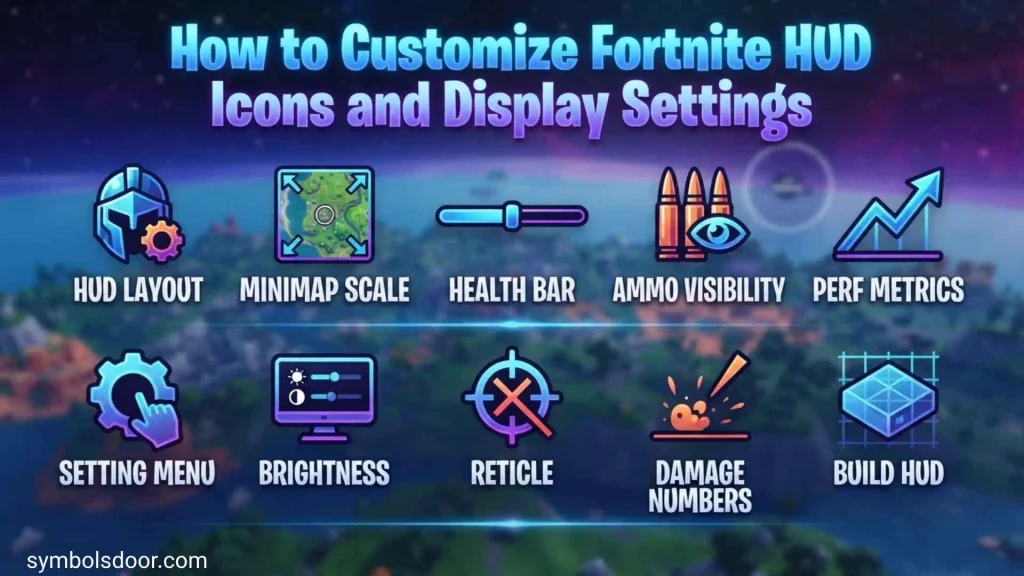
Not every player wants the same screen layout. Fortunately, Fortnite provides options for adjusting certain HUD elements.
You can change which information appears on your screen and customize some visual feedback settings.
According to Epic Games Support, you can access HUD customization through the Game UI section in Settings.
Follow these steps:
- Open the Fortnite menu.
- Select the gear-shaped Settings icon.
- Open the Settings interface.
- Select Game UI.
- Review the available HUD options.
- Adjust the elements you want to display.
- Apply your changes.
Depending on the available options, you may be able to customize:
- Health and shield information
- Mini-map visibility
- Ping indicators
- Reticle and damage feedback
- Other general HUD elements
Important: Creative experiences can also use their own HUD settings. Island creators may customize which information appears during gameplay. Therefore, some symbols may look different or disappear entirely in certain Creative maps.
Frequently Asked Questions About Fortnite Symbols
What Do Fortnite Icons Mean?
Fortnite icons represent different game features, actions, items, and information. They can identify health, shields, weapons, ammunition, quests, friends, settings, cosmetics, and navigation tools.
Their meanings depend on the screen and game mode where they appear.
What Does the Footsteps Icon Mean in Fortnite?
The footsteps icon is associated with visual sound indicators. When Visualize Sound Effects is enabled, Fortnite can display visual cues for nearby footsteps and other supported sounds.
These indicators help you understand the direction of nearby activity.
What Does the Shield Icon Mean in Fortnite?
The shield icon represents your character’s shield protection. The accompanying bar shows how much shield you currently have.
Shield and health are separate resources.
What Does the Crown Symbol Mean in Fortnite?
A crown can have different meanings depending on its location.
For example, a crown beside a player’s name in the party interface can identify the party leader. Other crown designs may represent pass-related or reward-related content.
What Does the Blue Pin Icon Mean in Fortnite?
The blue pin generally represents a waypoint or map marker.
It helps you mark a destination and communicate your intended location to teammates.
What Does the Purple Circle Mean in Fortnite?
The purple circle represents the storm boundary on the Battle Royale map.
The safe zone is the area players need to reach to avoid taking storm damage.
What Does the White Clock Icon Mean in Fortnite?
A white clock can represent a countdown or timing-related indicator.
When it appears beside storm information, it may communicate timing associated with the storm’s movement. Check the accompanying label for its exact meaning.
What Does the Trophy Icon Mean in Fortnite?
A trophy symbol generally represents achievement or progression-related information.
In interfaces that display Survivor Rank, it may identify survival-related progression.
What Does the Green Crown With an Arrow Mean?
The green crown with a downward arrow is associated with automatic reward claiming where that feature is available.
It indicates an option related to automatically claiming eligible rewards.
What Does the Crosshair Icon Mean in Fortnite?
A crosshair represents aiming or targeting information.
It helps you understand where your weapon is pointing and where your shots are directed.
What Do Platform Icons Mean in Fortnite?
Platform icons identify platform-related information for players.
You may encounter indicators associated with PC, PlayStation, and Xbox in social or party interfaces.
What Does the Yellow Exclamation Mark Mean in Fortnite?
A yellow exclamation mark can identify new content or an item that needs attention.
You may see it beside a Locker category after receiving a new cosmetic.
What Does the Microphone Icon Mean in Fortnite?
The microphone icon represents voice chat.
Depending on its appearance and location, it may show microphone availability, speaking activity, or communication settings.
What Does the Hammer Icon Mean in Fortnite?
The hammer icon is associated with building-related controls in supported Fortnite experiences.
It can help players access construction features and manage building actions.
What Do the Bullet Icons Mean in Fortnite?
Bullet icons identify ammunition types.
Depending on the weapon and game version, you may encounter light, medium, or heavy ammunition indicators.
What Does the Red Rectangle Icon Mean in Fortnite?
A red rectangular indicator may represent a particular squad or location-related alert in certain interfaces.
Its exact meaning depends on the screen where it appears. Check the nearby player name, label, or map information before interpreting it.
Why Do Fortnite Icons Change?
Fortnite icons can change because Epic Games regularly updates the game’s interface and features.
Other reasons include:
- New seasons and content releases
- Changes to game modes
- Updated Locker layouts
- New cosmetic categories
- Platform-specific interface differences
- Changes to HUD settings
- Retired or redesigned features
If an older guide shows an icon that you can’t find, compare it with the current interface rather than assuming your game is broken.
Conclusion
Understanding Fortnite symbols and icon meanings makes the game easier to navigate. From lobby shortcuts and Locker cosmetics to health bars, storm indicators, and squad markers, each icon provides useful information.
The most important symbols to learn first are the health and shield indicators, footsteps, map markers, storm circle, inventory, ammunition, and voice chat icons. These directly affect how you manage your equipment and respond during matches.
Remember that Fortnite’s interface changes over time. Some symbols may move, receive new designs, or become unavailable when Epic Games retires a feature. Always check the surrounding label and screen context to understand what an unfamiliar icon actually does.

Hi, I’m Asher Monroe, a writer who believes that meaningful words have the power to inspire change and bring people closer to their dreams. I have always been fascinated by the beauty of quotes and the way a simple message can provide motivation, hope, and comfort.
I enjoy creating content around inspirational quotes, life lessons, success stories, and positive thoughts that help readers find encouragement in their everyday lives. My goal is to share words that connect with people and remind them of their inner strength.
Through my writing, I explore the ideas of personal growth, confidence, and the importance of staying inspired through every chapter of life.
I am the author of Words That Move the Soul and The Path of Endless Inspiration, two books focused on the power of wisdom, positivity, and meaningful thoughts.
 Sienna Brooks
 Rowan Sinclair Rowan Sinclair